Scavvy — Race and Hunt
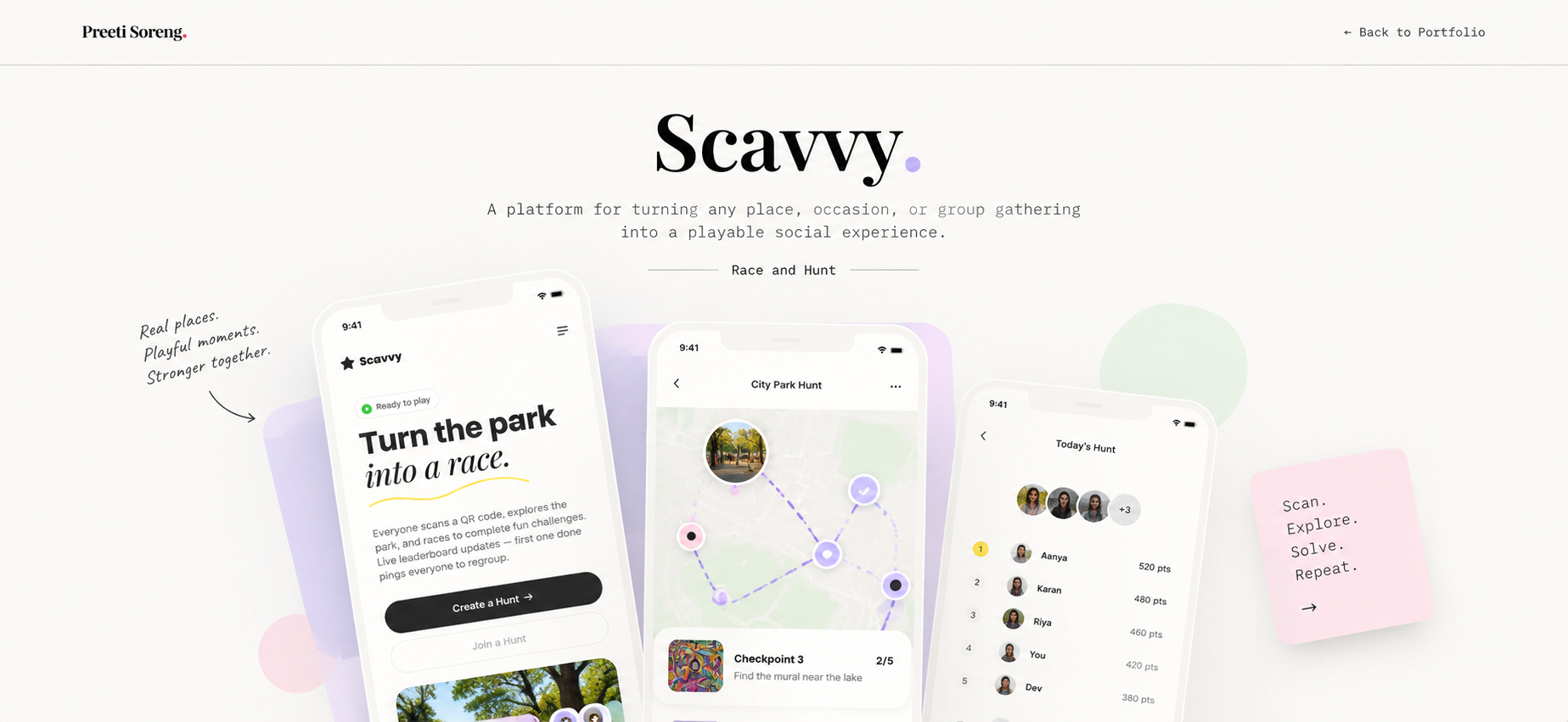
A platform for turning any place, occasion, or group gathering into a playable social experience.
 ← Back to Portfolio
A platform for turning any place, occasion, or group gathering into a playable social experience.
← Back to Portfolio
Scavvy
A platform for turning any place, occasion, or group gathering into a playable social experience.
Overview
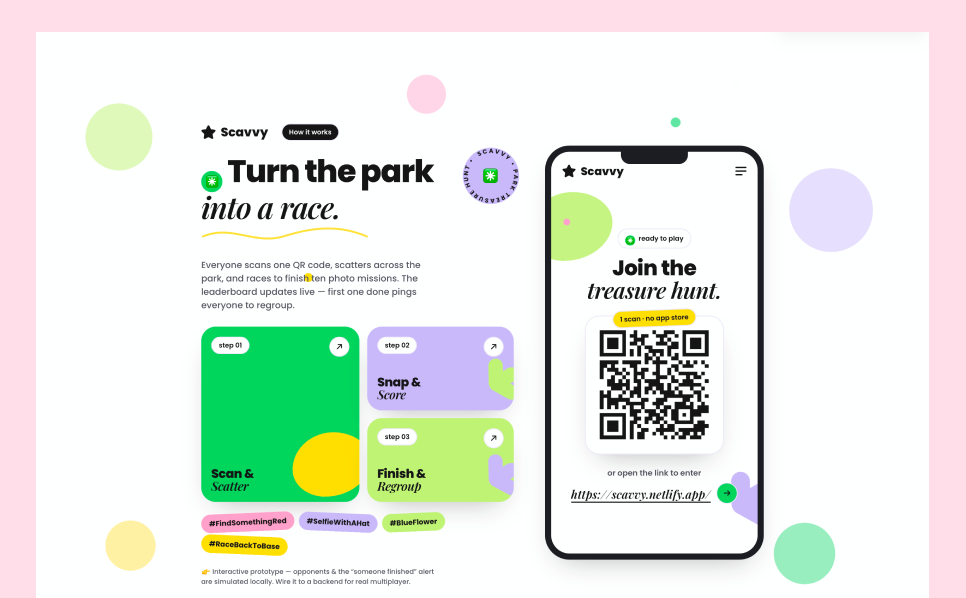
Scavvy is a location-based mobile application that transforms parks and public spaces into interactive scavenger hunt experiences. By combining QR codes, real-world exploration, and gamified challenges, it encourages users to stay active, discover new places, and engage with others. This project covers the end-to-end product design process, from user journey mapping and gameplay mechanics to designing the complete mobile experience. The goal was to create an intuitive, engaging, and scalable experience that seamlessly blends digital interaction with real-world exploration.
KRA
Problems identified
Hypothesis
Built front end with prompt
The process of building this app start with a simple ux flow describing landing page, a easy scan on click on link interface to enter the home page. Home page consist of interface to craete new groups and once the game starts a list of tasks will be given to finish. Whoever finfishes first will win . A responsive web app with fewer elements.
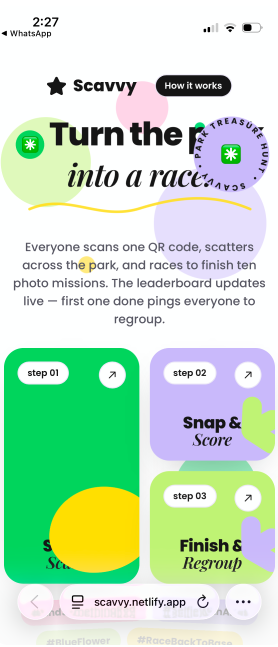
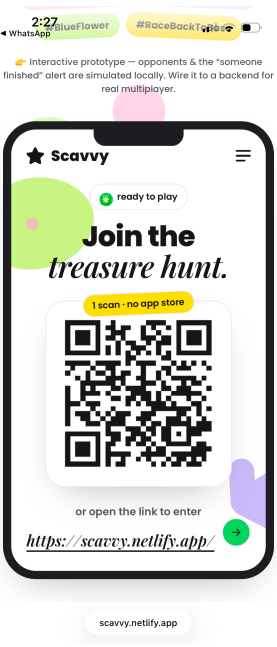
Click on link or scan QR to enter the site
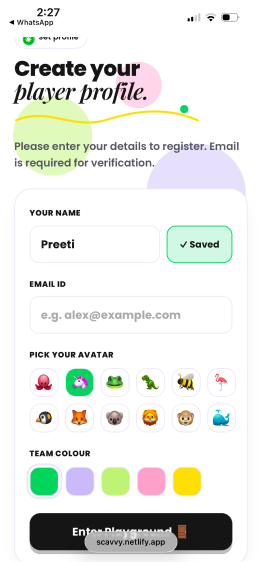
As a first time user, cretae user profile
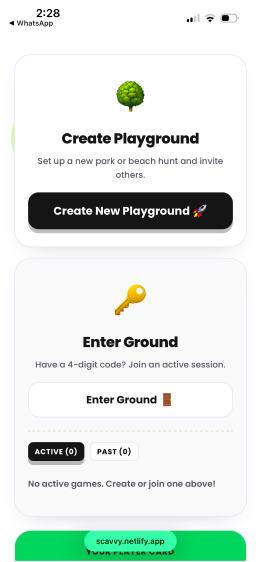
Once evryone has created their profile, one of the player can create a new playground, or enter the code for previously created ground
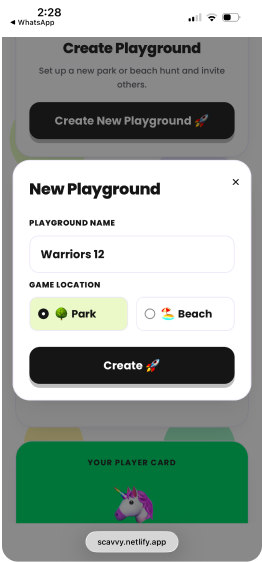
Name the playground
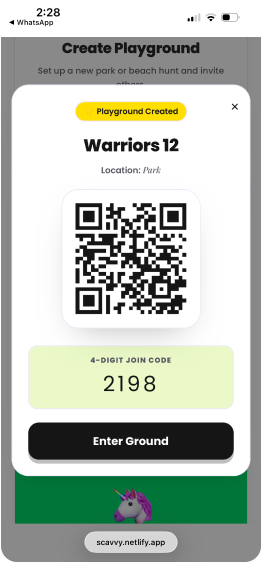
Once new playground is craeted, other players can use this QR code to entre the ground or use the code to enter the ground
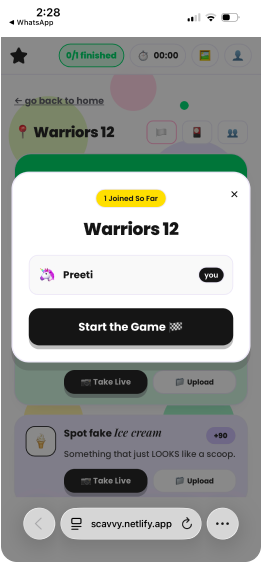
Only the creator of the playground, aka ‘Leader’ can start the game, untill then other players will have to wait.
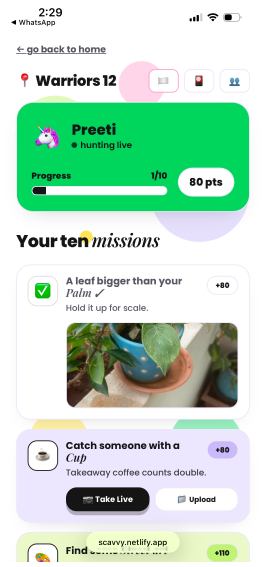
Once the leader starts the game, challeneges page with 10 challenegs are displayed. Player can click live photo to upload real time image
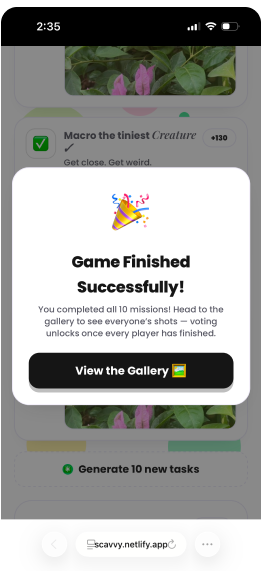
Once all the tasks are finished, player will click done and success message will popup
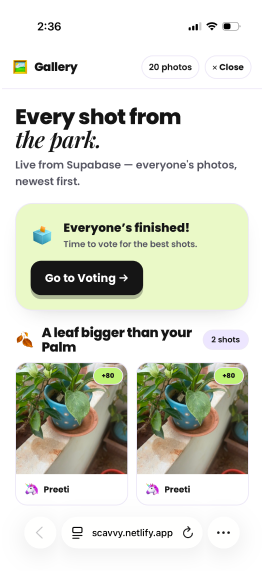
Players will be taken to gallery , where they can viote
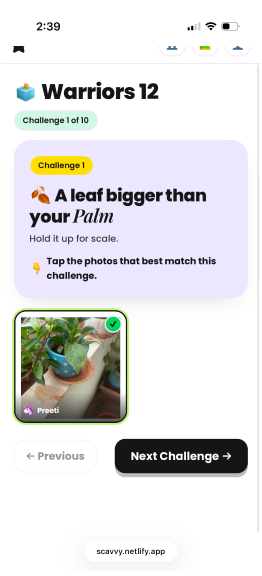
Each player will vote by agreeing if the image captured matches the challenge or not
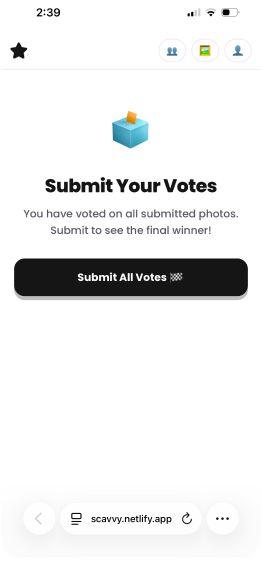
Submit the final votes
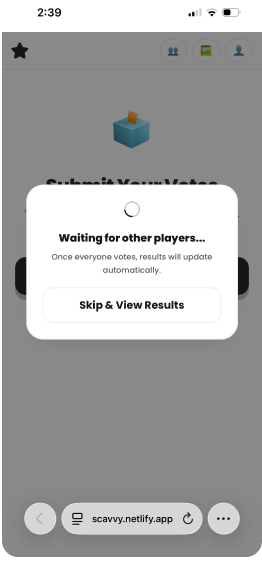
Either wait for other player to finish or skip to results
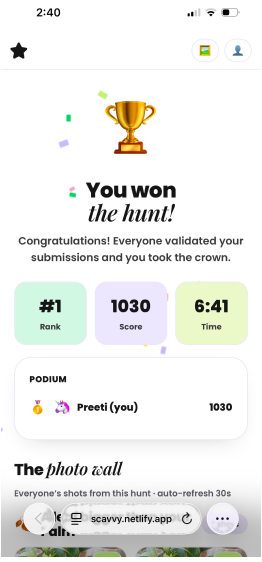
Once all the players have voted, the final result who won will be displayed on the screen
UX scenarios considered
After building the first draft of the app, I ran few user testing by myself and by others. This allowed me to identify bugs and opportity areas to improve overall experience of the app and fixed them
Future scope
The collaboration feature can evolve into a centralized decision-management system that streamlines approvals, discussions, and actions while improving transparency, accountability, and decision-making efficiency across workflows