Notification Settings
Delivers timely updates, alerts, and reminders to keep stakeholders informed and aligned
Overview
Notifications serve as a critical communication layer within the decision-making process, ensuring that stakeholders remain informed, aligned, and responsive throughout the lifecycle of a decision. As decisions move across executives, managers, and analysts, timely updates on approvals, feedback, status changes, pending actions, and implementation milestones help prevent communication gaps and workflow bottlenecks. By delivering relevant, contextual, and actionable updates, notifications enable users to stay engaged without actively monitoring the platform, resulting in faster collaboration, improved visibility, and more efficient decision execution.
Role
Lead Product Designer | NucliOS
User Research, Interaction, Visual Design, UX Design, Prototyping, Testing
October 2024 - November 2024

Receiver’s View
Final version
Platform Trigger
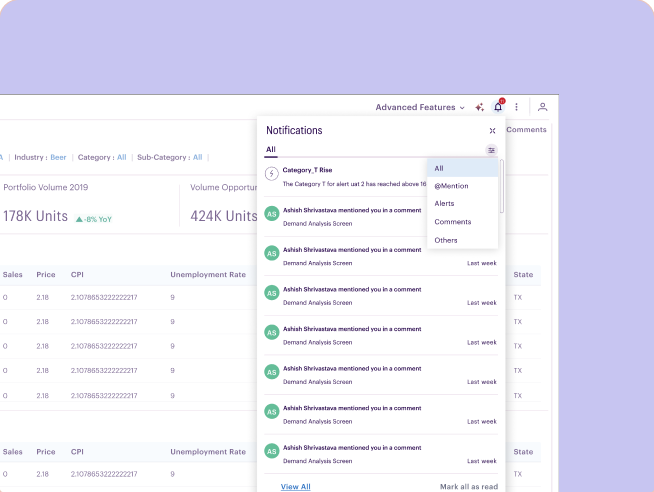
- User are directly notified on their platform account along with a notification sent on their email.
- On the platform user can have a quick view of the notifications in context to the collaborator conversations.
- Users can quickly sort the notification types for them to take the required actions
- View all will allow user to navigate to the dedicated page for all the notifications
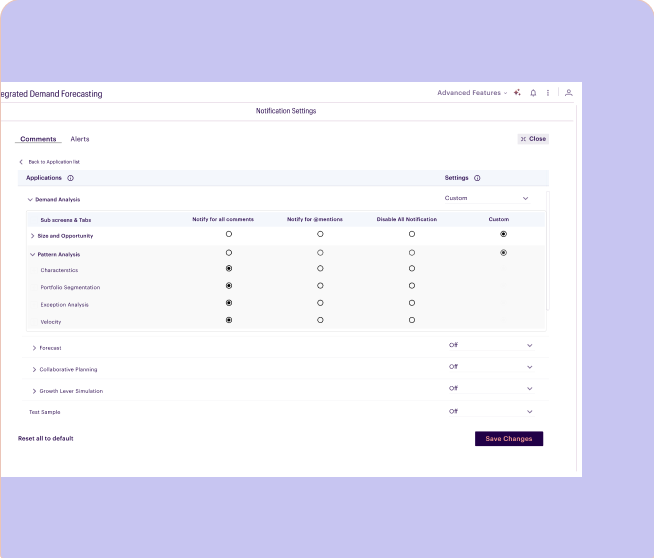
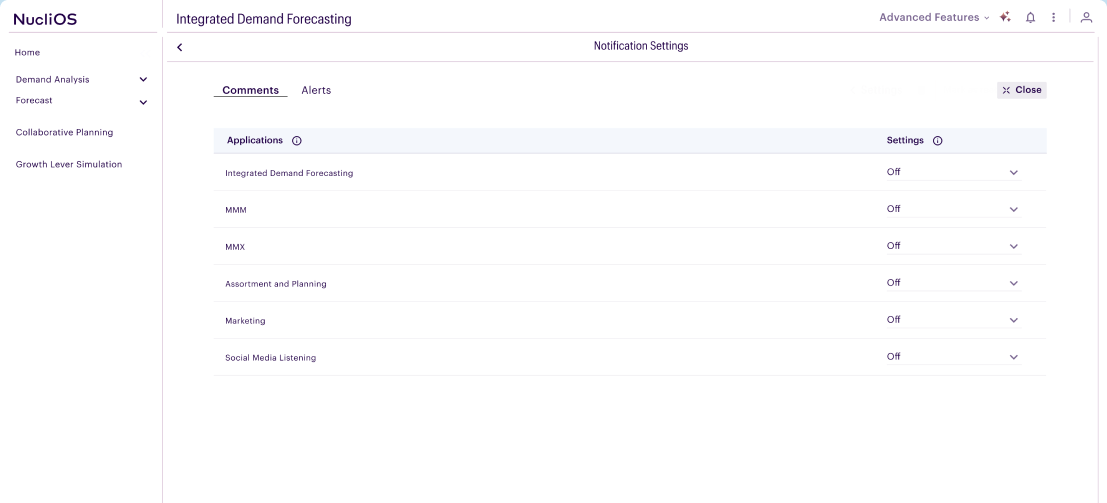
Notification Settings Page
- The notification page is a dedicated page for all the notifications
- User can enable/ disable the notifications as per their need
- User has option to select from four options, Notify for all comments, Notify for @mentions, Disable all notifications and Custom settings at page level
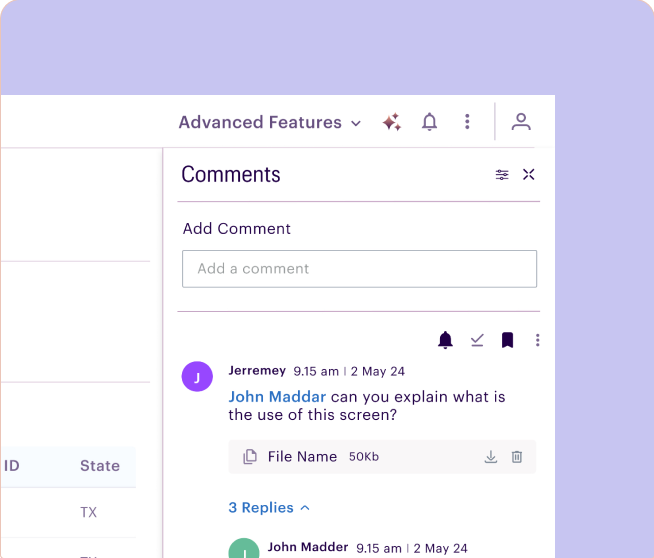
Subscribe notification
- User can also subscribe to notification of any specific thread by clicking on the bell icon at thread level