Studios
Centralized workspace to organize, access, and manage decision artifacts seamlessly
Overview
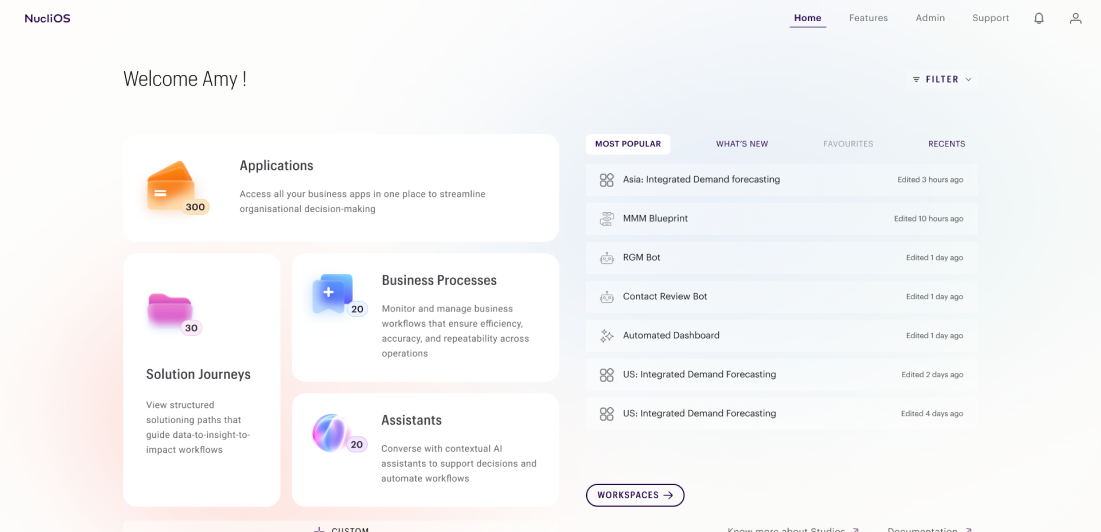
STUDIOS is the unified entrypoint for the decision flow ecosystem, designed to organize and manage the growing collection of artifacts created throughout the decision-making lifecycle. It provides a structured workspace where executives, managers and analysts can seamlessly access projects, dashboards, models, workflows and other assets from a single interface. With role-based access control, intuitive navigation, and centralised organization, Studios eliminates information fragmentation, improves discoverability and enables secure, efficient collaboration, ensuring every stakeholder has the right to information and tools to make informed decisions.
Role
Lead Product Designer | NucliOS
User Research, Interaction, Visual Design, UX Design, Prototyping, Testing
March 2025 - July 2026
Home Page
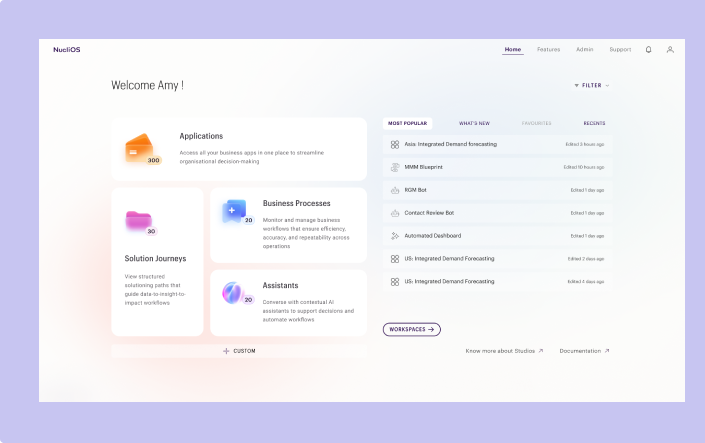
- The personalised view of the Studios home page, allows user to access artifacts from single entry point
- By clicking the Custom cta user can reorganise the tiles on the screen as per their preferences
- Section on the right of the screens allow users to have visiblily about the recent activities and updates
- All the features have individual landing page with list of artifacts
- Filter will allow user to narrow their search based on industry, function or artifact type
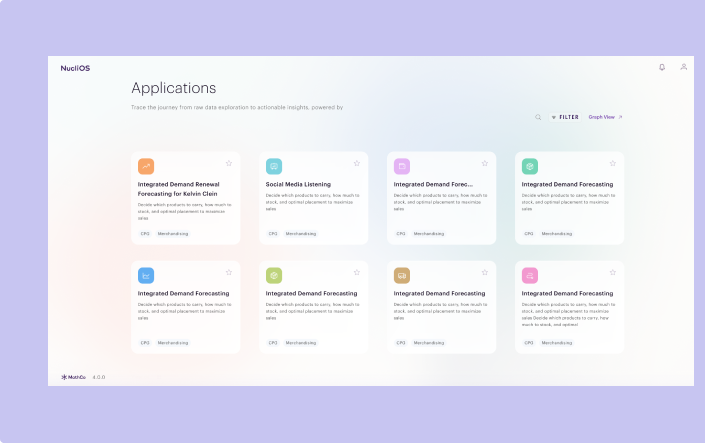
Executive view (Artifact list) consumption layer
- All the features have individual landing page with list of artifacts
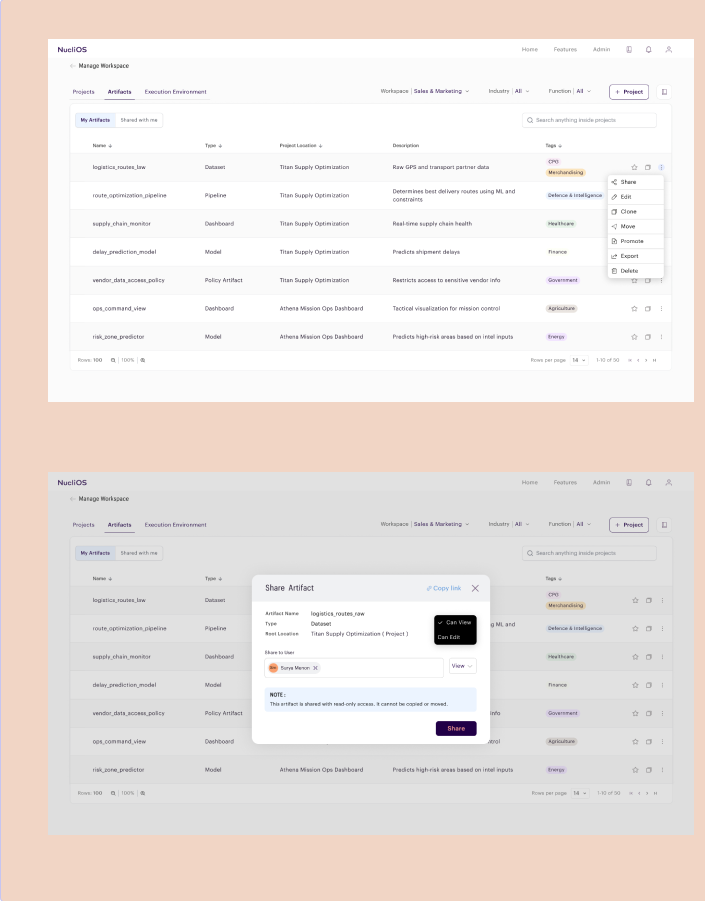
Manage Workspace
- On clicking workspaces at Studios home page, user will be taken to the Manage workspace page
- The page consist of list of all the artifacts and collaborators who has access to
- The page consist of list of all the artifacts and collaborators who has access to
- User can share, edit, clone, move, promote, bookmark, export or delete an artifact based on their role access
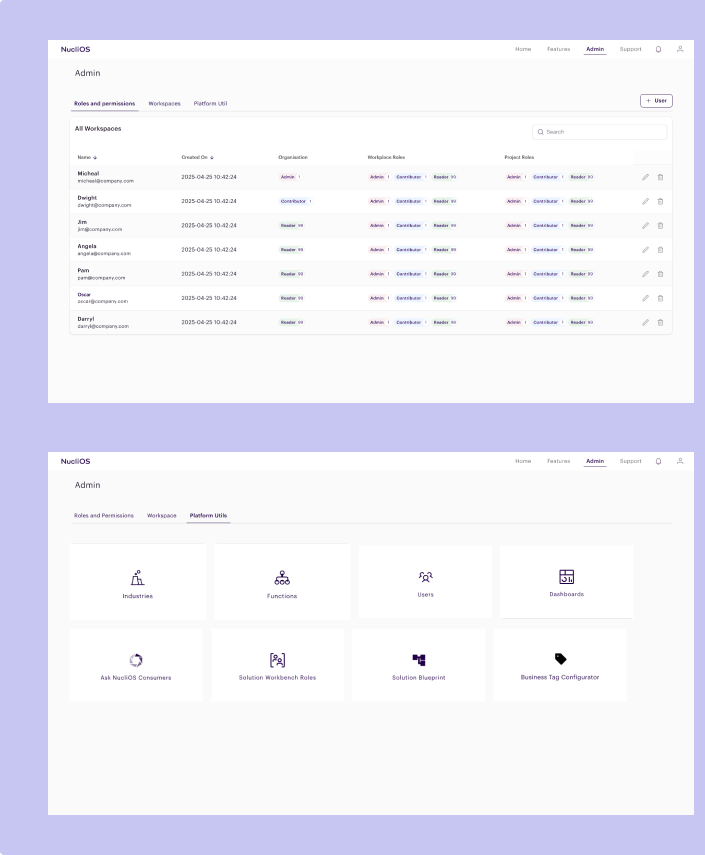
Admin
- Admin page is for the Super admin who has access to all the user role access control and workspace settings. As well access to configure platform level customisation under platform utils