






































PREETI SORENG

Welcome To
My World

I see design as a way to uncover meaning and create clarity where complexity exists. As a problem solver, I transform intricate challenges into intuitive, thoughtful, and emotionally engaging experiences that feel seamless and leave a lasting impression

Contact
Scroll Down

RECOGNITION

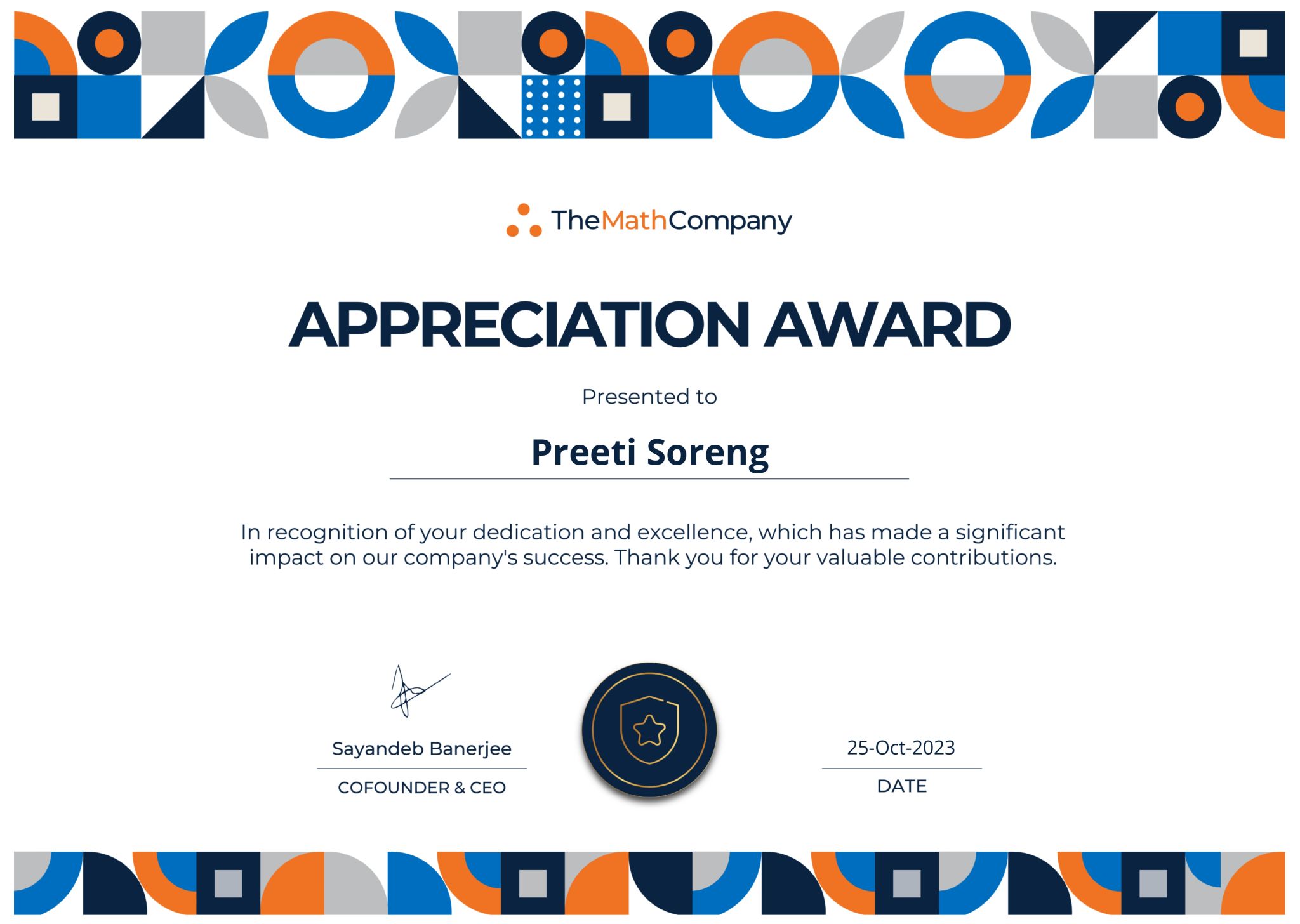
Award 1
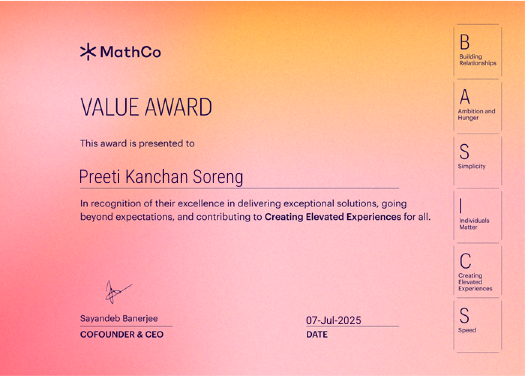
Award 2
Award 3

FEATURED WORKS

Decision Flow

All new decision flow to analyse and then optimise the decision-making workflow

Read More →

Full Stack Product

4 tech stacks explored to build an end-to-end pet boarding web application using AI

Read More →

Gaming app

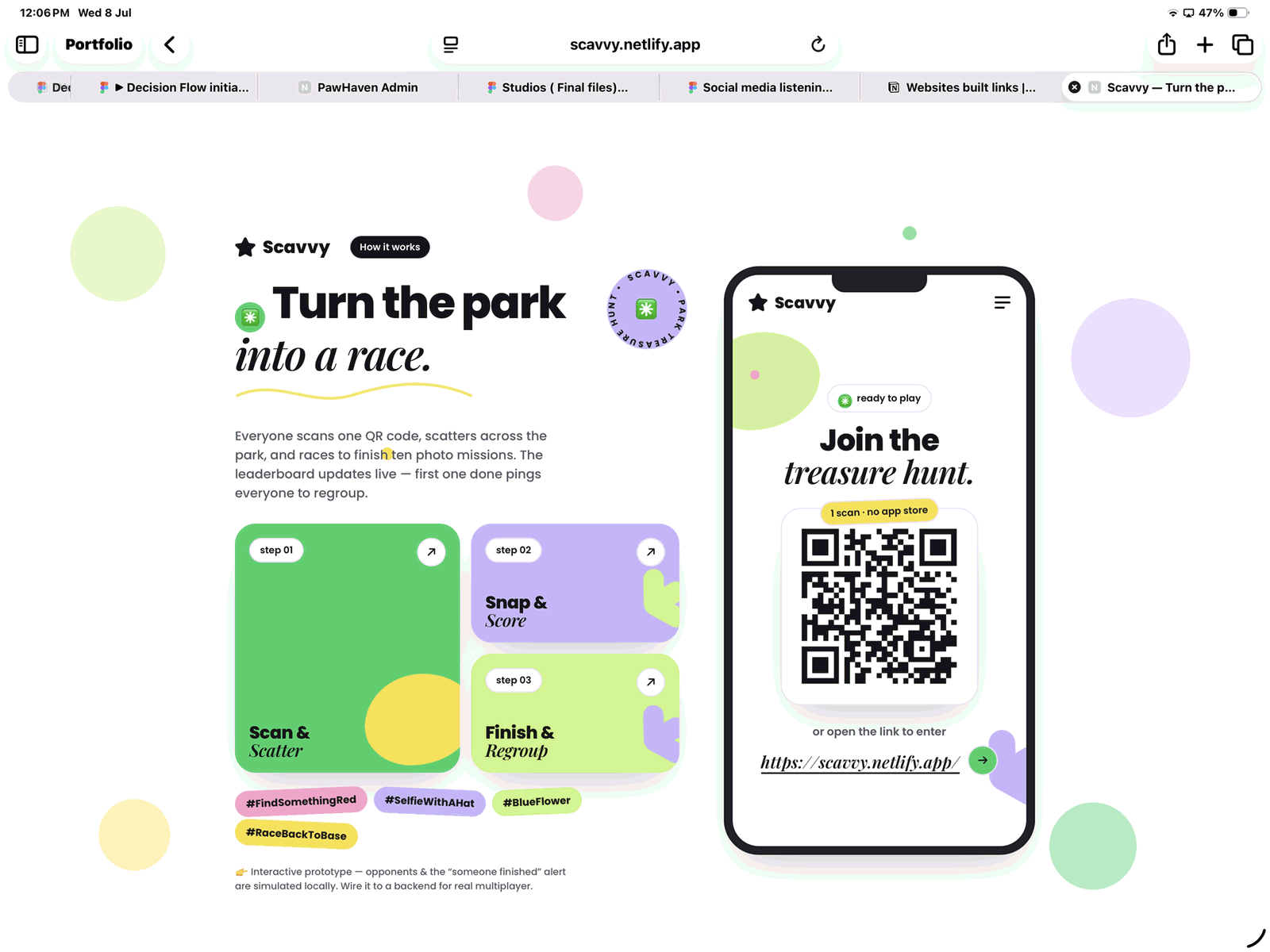
A gaming app to be played in park and social groups

Read More →

Project 4

upcoming project

ABOUT ME

Preeti Soreng

PREETI KANCHAN SORENG

I am a product designer with 6+ years of experience in data products, information design, and problem solving. I started my digital product journey at an AI-first company.

System ThinkingDesign SystemsUser ResearchUI DesignData VisualisationUX Architecture

2014–2018 — Fashion Design Foundation

  • Began career in fashion design, working with boutique, retail, and export houses.
  • Learned collaboration, client communication, and business workflows.
  • Built strong foundations in aesthetics, storytelling, and execution.

2019 — Transition into UX & Data Products

  • Became the first UX designer at a data science company.
  • Introduced design-thinking practices and worked across multiple data products.
  • Simplified complex analytics workflows into intuitive user experiences.

2022 — Internal AI Platform & UX Foundations

  • Worked on the internal AI platform Co.dx.
  • Helped accelerate project delivery through reusable artifacts and workflows.
  • Conducted user research and usability feedback cycles.
  • Improved platform usability and designed foundational product features.

2023 — NucliOS Rebrand & MathCo Brand Alignment

  • Co.dx was rebranded as NucliOS.
  • Redesigned the platform to align with new MathCo brand guidelines.
  • Introduced a grid-based visual system and created the first design system.
  • Established scalable and consistent UX foundations across the platform.

2024 — Modular Bento Theme & Leadership

  • Started redesigning the platform with a modular Bento-inspired theme.
  • Built flexible, reusable components adaptable to varied business needs.
  • Mentored and trained campus-hired designers.
  • Initiated the Decision Flow project to capture user needs and improve feature prioritization.

2025 — Centralized Ecosystem & Platform Architecture

  • Unified scattered products into one centralized NucliOS ecosystem.
  • Designed structured workflows, artifact organization, and project-based management.
  • Created a collaborative workspace for multiple personas and teams.
  • Worked on persona frameworks, usability analytics, and scalable governance systems.

What I do in my free time makes me awesome at my work 😬

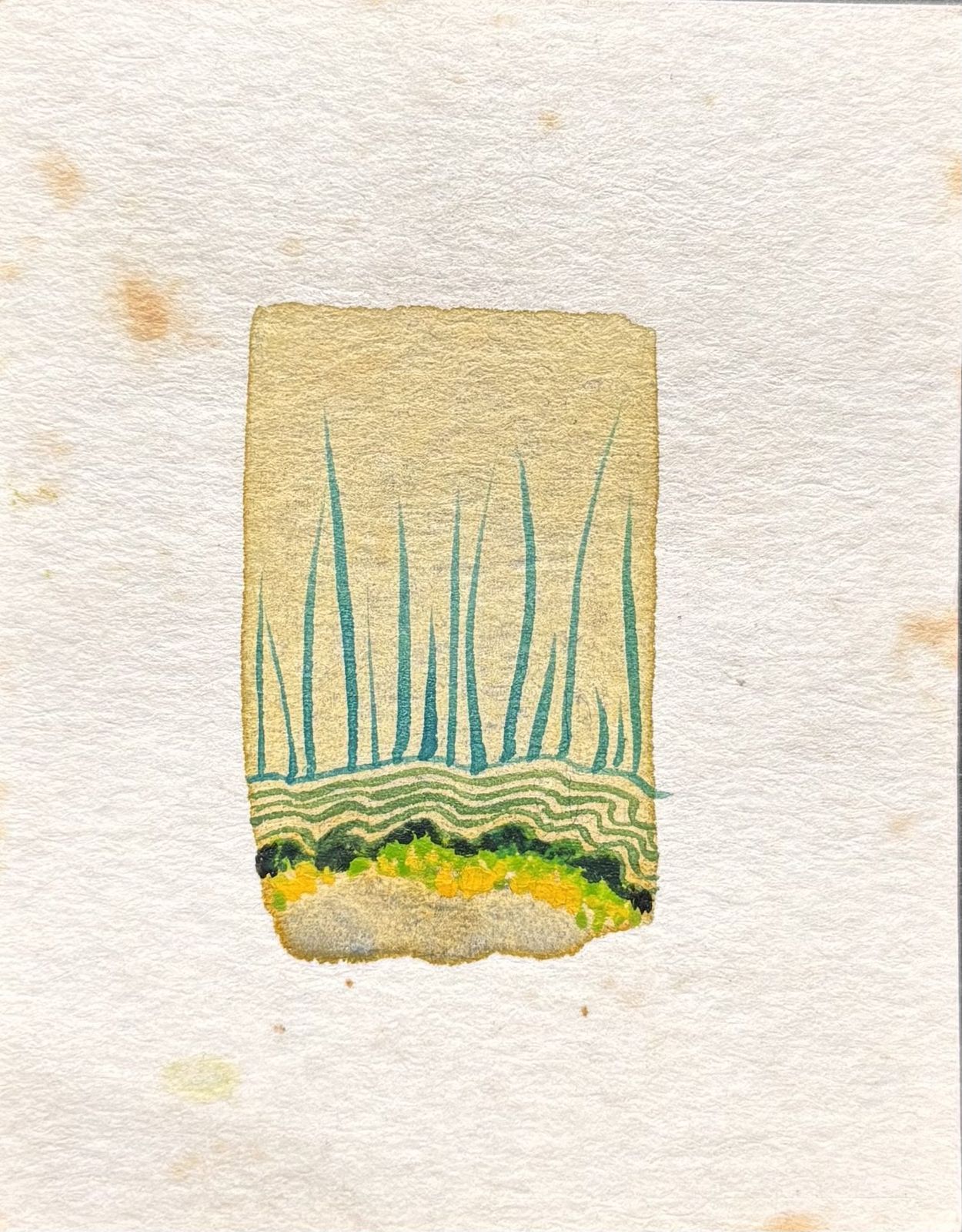
MINIATURE PAINTINGS

Miniature painting 1Miniature painting 2Miniature painting 3

PEN ILLUSTRATIONS

Pen illustration 1Pen illustration 2Pen illustration 3

PENCIL SKETCHES

Pencil sketch 1Pencil sketch 2Pencil sketch 3

Let’s Connect

Feel free to reach out for collaboration or just a friendly hello 😊

preeti.soreng@gmail.com

Decision Flow

Capture, structure, and surface decision-making touchpoints without disrupting natural workflows

Decision Flow
Decision Flow hero architecture diagram

Overview

MathCo is an enterprise AI and analytics company that helps organizations transform data into actionable business decisions. It builds customized data products, integrates AI into business workflows, and enables companies to scale intelligence across operations. Their approach focuses on connecting data, analytics, and decision-making to drive measurable outcomes and improve efficiency.

NucliOS is MathCo’s proprietary AI-powered platform that powers this transformation. It converts raw data into governed, contextual intelligence, enables AI agents and applications, and supports end-to-end workflows—from data preparation to decision automation—helping enterprises move faster from insights to impactful business actions.

Role

Lead Product Designer | NucliOS

User Research, Interaction, Visual Design, UX Design, Prototyping, Testing

March 2024- December 2025

Product

NucliOS

Problem Statement

The organization’s decision-making process spans multiple functions and personas, bringing together diverse inputs, perspectives, and actions across the business. While this creates a rich foundation for informed decisions, the overall journey remains fragmented and difficult to trace end to end.

Information, insights, and decisions are often created and managed across disconnected systems and informal channels. As a result, critical context, rationale, and dependencies are not consistently captured or carried forward. This makes it challenging to understand how decisions originate, evolve, and ultimately translate into outcomes. The lack of a unified and traceable flow leads to limited visibility, inefficiencies, repeated work, and misalignment—hindering the organization’s ability to make consistent, scalable, and impact-driven decisions.

Goals

1. Make decision flows visible

2. Capture and preserve decision context

3. Reduce fragmentation into a single source of truth

4. Accelerate and streamline decision-making

5. Build a reusable organizational memory

User Interview

Objective

To uncover how decisions flow across both tangible and intangible touchpoints, and identify gaps and opportunities to optimize the overall journey.

Hypothesis

  • Mapping the end-to-end decision flow will help uncover users’ micro-goals, while exposing gaps, lost context, and inefficiencies across the journey.
  • A deeper understanding of how information and decisions evolve across functions will enable optimization of the process and improve visibility and transparency.
  • While insights today exist in silos across decision intelligence, data-driven practices, and collaboration, the key opportunity lies in stitching them together to create a unified, traceable decision-making ecosystem.
Interview notes for Harshad, Manasi, Ishani and Shridhar on a Figma sticky board

Fig. Screenshot from the Figma file where the interviews were documented

User Research Insights

In the table below the decision-making journey has been captured by before, after and during stages of decision making

Pre Decision Making (Discover)
During Decision Making (Analyse)
Post Decision Making (Collab)
Implement / Approval
Actions
Gather Information: Collect relevant data and information related to the decision
Insights Collection: Look at insights to create a decision
Prepare decision for approval Review decision Team discussion Compare Adjust
Send decisions for approval Review decision Approve / Deny Send feedback
Goals
Find all the necessary artefacts, data, to be ready for creating a decision, ability to save filter combo
1. Compare different scenarios 2. Save different scenarios 3. Validating Insights
1. Finalise decision
1. Approve decision 2. Implement decision 3. Track decision
Pain Points
Lot of information Lack of information Unable to search efficiently in NucliOS
1. How to validate 2. Credibility of the decisions / insights
1. Lack of collaborative aid 2. Manual and redundant process 3. Lot of back and forth of decision 4. Approval from finance is a lengthier process
• Lack of validation on decision • Redundant process to get plan approved
Emotions
Curious, Excited, Overwhelmed
Curious, Confused, Equivocal
Confident, Apprehensive
Confident
Activity
User looks at past data to retrospect and analyse the product performance last year / quarter etc depending on the goal
Collaborators will review the decisions and after discussion will finalise the decision
Implement the solution
Touchpoint
NucliOS, Excel
NucliOS, Excel
NucliOS, Excel, Other dashboard tool
NucliOS, Mail
Design Ideas
Insights for user to quickly look at the database Advanced search
Save a scenario, Compare Scenario, add a credibility to the decisions made by attaching some credible info
Send / Receive plan. Ability to add alerts, notes, comments, reply. Log the entire transaction of decision
Notification Reasons for denial Status visibility

Stages of Decision Making

User interviews revealed a consistent decision-making journey, comprising Five distinct stages that apply to all the projects.

DISCOVERABILITY

VALIDATION

COMPARISON & TRACK

COLLABORATION

APPROVAL

Navigating vast datasets, surfacing relevant metrics, filtering noise, and identifying meaningful signals worth investigating

Ability to validate, that what system is recommending is in sync with users’ intuition

Confirming the accuracy, reliability, and relevance of the findings derived from data analysis

Introduce scenario modeling, historical benchmarking, and performance evaluation across similar products, plans, or business conditions.

Cross-functional communication, clarification of rationale, negotiation of priorities, and alignment between stakeholders with different goals and constraints.

Extends beyond a simple sign-off process, incorporating governance, accountability, financial implications, compliance considerations, and execution readiness.

This framework represents a high-level view of how decisions evolve within an organization—from the initial identification of an opportunity to the final approval and implementation of an action. However, in practice, each stage contains its own deeply layered decision-making ecosystem. Every transition to the next stage is supported by multiple micro-decisions, evaluations, discussions, trade-offs, and iterations occurring within teams, systems, and workflows.

Organisation Decision Journey

Fig. 1A

Fig. 1A — plans passing between the category strategist and the field representative

Kellanova Collaboration

The business revolves around enabling a continuous, collaborative assortment planning system where centrally defined strategies (Category Strategist) are validated, adapted, and optimized through field-level insights (Field Representative). The system must support ongoing planogram implementation and dynamic modification, ensuring that any performance-driven decision is seamlessly communicated, validated, and iterated across stakeholders in near real-time.

Fig. 1B

Fig. 1B — bi-monthly loop between sales, category leadership and analysts

Bi-Monthly Assortment Planning

A system to enable bi-monthly, scenario-driven stocking decisions, where teams can continuously evaluate performance, simulate assortment changes, and optimize inventory distribution, ensuring the right products are available at the right place and time with minimal inefficiencies.

Fig. 1C

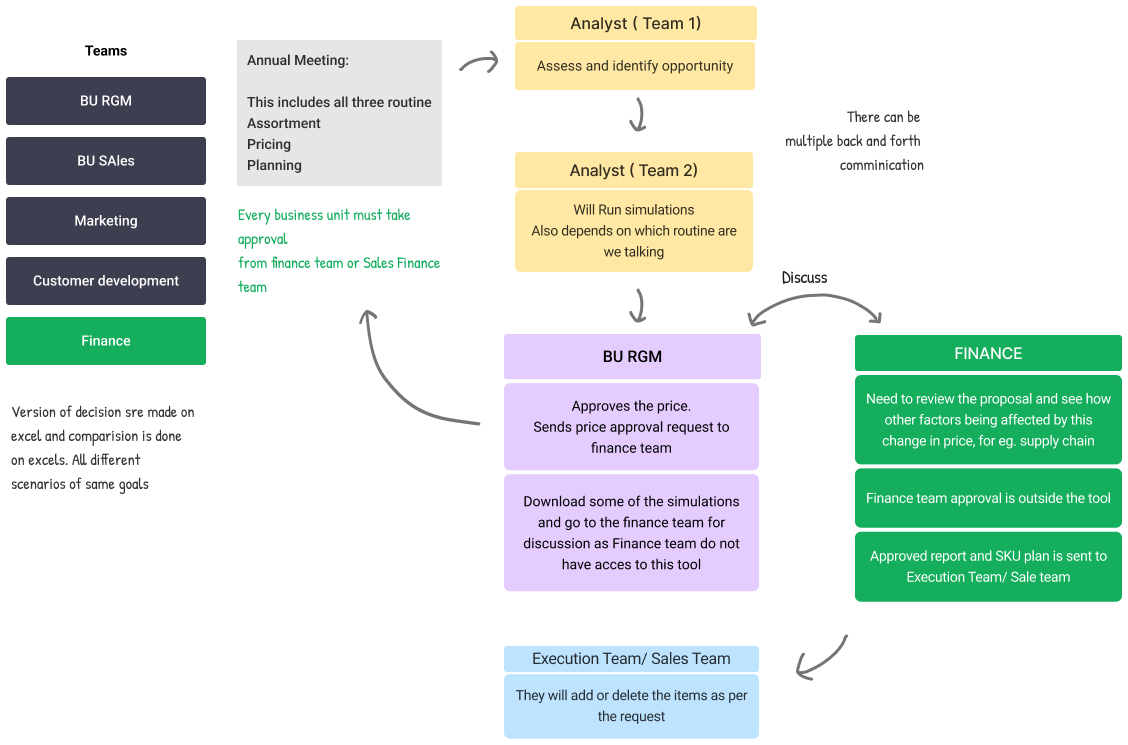
Fig. 1C — annual operating plan moving from analysts through RGM to finance

Annual Operation Planning

The business revolves around enabling a multi-functional, collaborative annual planning system that defines and operationalizes the retail assortment, pricing, and promotion strategy across the organization. This system must support end-to-end decision orchestration, where insights are generated, validated, simulated, and approved across multiple teams—including strategy, sales, marketing, analysts, and finance—before being executed in the market. Given the complexity of assortment planning—balancing customer demand, financial targets, and operational constraints—the platform must facilitate continuous back-and-forth collaboration, scenario comparison, and structured approvals, ensuring that decisions are aligned, traceable, and optimized before execution.

Function Decision Flow

Fig. 2A

Fig. 2A — current routine and gaps across assortment, pricing and promotions

Assortment Decision Making

The information is fragmented across multiple tools and functions are part of decision making various stages. In the above image it has been clearly identified that there are three stages in decision making starting from Identifying Needs, Running analysis and ending with Generating Recommendation reviewing the Impact.

Fig. 2B

Fig. 2B — using multiple tools and reports to drive decisions without a unified tool

RGM

Core Process Pillars

  • Assortment: The process focuses on analyzing current SKU performance to identify growth opportunities, understanding shopper purchase behavior, and performing simulations to determine the ideal product mix and necessary delistings.
  • Pricing: Teams analyze historical pricing, simulate price changes based on market trends and competitor analysis, and assess the impact of price points on consumer psychology to finalize budget planning.
  • Promotions: This pillar involves tracking historical promotional performance, validating guardrails, simulating future plans, and establishing a formalized approval and execution process.

User Persona

The user interview led us to identify three categories of user personas:

  • Executive (C-Level Decision Maker)
  • Manager (Mid Level)
  • Analyst (Beginner to Intermediate Level)

Sarah Chen

Executive | Age: 45

Sarah Chen

15+ years in strategic leadership, MBA from Stanford. Oversees multiple departments and makes high-level organizational decisions.

"I need to see the full picture quickly, but I'm drowning in reports that don't connect to each other."

Goals

  • Make informed strategic decisions quickly
  • Ensure decisions align with company vision
  • Minimize risk in major investments
  • Track ROI on approved initiatives

Challenges

  • Information overload from multiple sources
  • Lack of visibility into decision flow across teams
  • Difficulty validating credibility of insights
  • No centralised view of pending approvals
Pre Decision Making
During Decision Making
Post Decision Making
Implement / Approval
ACTIONS
Reviews high-level reports and KPIs
Compares scenarios and validates with team
Discusses with leadership team
Approves and tracks implementation
EMOTIONS
Curious but overwhelmed by volume
Seeking confidence in recommendation
Confident but waiting for buy-in
Monitoring for success metrics

Harshad Muley

Manager | Age: 38

Harshad Muley

8 years managing cross-functional teams. Bridges executive vision with analyst execution. Previously worked as a senior analyst.

"I spend half my time just moving information between people instead of actually improving our decisions."

Goals

  • Translate executive goals into actionable plans
  • Coordinate between analysts and leadership
  • Ensure data quality and accuracy
  • Facilitate smooth approval processes

Challenges

  • Manual and redundant handoff processes
  • Back and forth communication delays
  • Difficulty tracking decision status
  • Limited collaboration tools for team reviews
  • Multiple tools
Pre Decision Making
During Decision Making
Post Decision Making
Implement / Approval
ACTIONS
Gathers data from analysts and past decisions
Validates scenarios, saves alternatives
Prepares decision for executive review
Sends for approval and awaits feedback
EMOTIONS
Organized but time-pressured
Seeking confidence in recommendation
Apprehensive about missing details
Waiting and ready to iterate

Aryan Dey

Analyst | Age: 29

Aryan Dey

4 years in data analysis, skilled in NucliOS and Excel. Creates detailed models and insights for decision-making.

"I can build great analysis, but I never know if I'm looking at the right data or if anyone actually uses what I create."

Goals

  • Translate executive goals into actionable plans
  • Coordinate between analysts and leadership
  • Ensure data quality and accuracy
  • Facilitate smooth approval processes

Challenges

  • Manual and redundant handoff processes
  • Back and forth communication delays
  • Difficulty tracking decision status
  • Limited collaboration tools for team reviews
  • Multiple tools
Pre Decision Making
During Decision Making
Post Decision Making
Implement / Approval
ACTIONS
Searches databases for historical data
Builds models and creates scenario comparisons
Shares insights with manager
Waits for feedback, rarely sees final outcome
EMOTIONS
Excited to explore but frustrated by search
Confused about validation criteria
Uncertain if work meets expectations
Disconnected from decision impact

Feature List

After reviewing multiple user journeys and analyzing the key challenges and goals across every stage of the decision-making process, we identified recurring patterns and opportunities. Based on these insights, we iterated on potential solutions and documented them along with their descriptions, expected impact, and relevance to different user personas and functions, helping establish a clearer direction for improving collaboration and decision efficiency.

Feature Impact Analysis

Design ideas to optimize the decision-making journey

Feature
Description
Impact
Insights Dashboard
Quick access view that surfaces relevant data, past decisions, and key metrics from the database without extensive searching
Reduces information overload and discovery time by 60%, enabling users to start analysis faster with contextually relevant data
AI Native Decision Intelligence
AI-powered layer that understands context, surfaces insights, summarizes discussions, recommends actions, and connects past decisions with current scenarios across the workflow
Reduces cognitive load, speeds up decision-making, improves confidence, and transforms fragmented collaboration into a more intelligent and connected decision process.
Advanced Search
Powerful search functionality with filters, tags, and intelligent suggestions to efficiently locate specific artefacts, data points, and historical decisions across NucliOS
Eliminates search inefficiency pain point, helping analysts find necessary information 3x faster and increasing confidence in data completeness
Scenario Comparison
Side-by-side comparison tool that allows users to evaluate multiple decision scenarios with different parameters, assumptions, and outcomes
Enables data-driven decision making by allowing managers and analysts to explore alternatives, reducing decision uncertainty by 45%
Scenario Saving
Ability to save multiple decision scenarios with all associated data, assumptions, and analysis for future reference and iteration
Preserves decision context and eliminates redundant work, allowing teams to build on previous analysis rather than starting from scratch
Credibility Indicators
System for attaching validation markers, data source citations, and credibility ratings to insights and decisions
Addresses validation concerns by making data lineage transparent, increasing executive confidence in recommendations by 40%
Collaborative Decision Workspace (Connected Systems)
Shared environment with user management controls where teams can send/receive plans, add alerts, notes, comments, and reply to feedback in context. Includes role-based access and permission management for decision visibility and editing rights
Reduces back-and-forth by 50% and eliminates manual handoffs, creating a single source of truth for decision collaboration while ensuring data security and appropriate access levels
Decision Transaction Log
Complete audit trail that captures the entire lifecycle of a decision including edits, discussions, approvals, and rationale
Builds organizational memory by preserving decision context, enabling teams to learn from past decisions and avoid repeating mistakes
Smart Notifications
Contextual alerts for decision status changes, approval requests, feedback needed, and implementation milestones
Keeps stakeholders informed without overwhelming them, reducing approval cycle time by 35% and preventing bottlenecks
Approval Workflow
Streamlined process for submitting decisions for review, providing structured feedback, and tracking approval/denial with reasoning
Eliminates redundant approval processes and lack of feedback, making decision flow transparent and accountable
Status Visibility Dashboard
Real-time view of where all decisions are in the approval pipeline, who owns each step, and what actions are required
Provides executives with decision flow visibility, reducing status check meetings by 60% and accelerating overall decision velocity
Autocomplete / Setting Guardrails
Intelligent automation that sets guardrails and automates repetitive resource allocation processes based on customized parameters
Saves 10+ hours per week by automating manual tasks and ensuring consistency in resource allocation decisions
Mobile Access
Mobile-responsive interface enabling decision review, approvals, and collaboration from
Enables decision-making on-the-go, reducing approval delays by 50% for remote

Collaborator

A centralized workspace unifying discussions and decisions for faster, transparent, cross-functional workflows

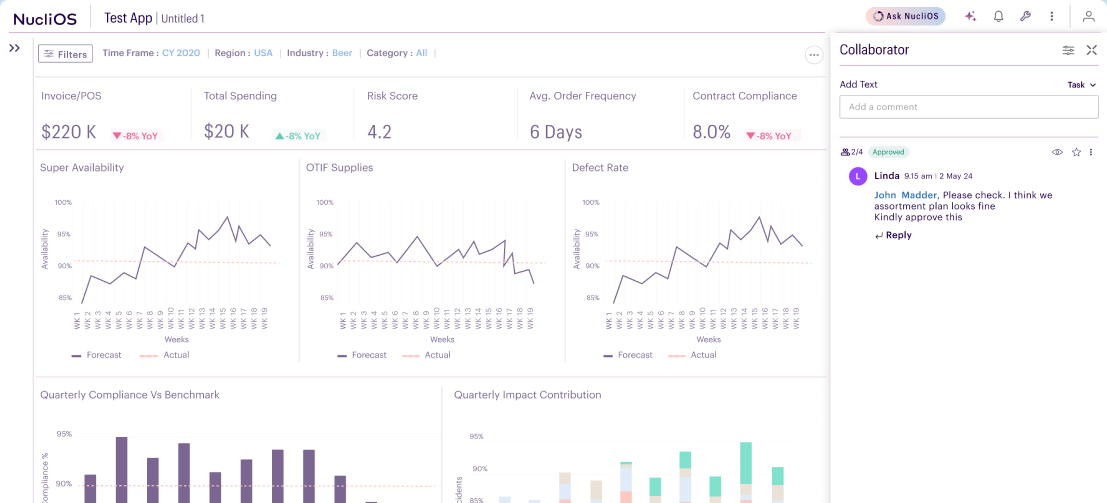
The Collaborator drawer open beside a NucliOS dashboard

Overview

The user research revealed that decision-making is inherently collaborative, involving multiple touchpoints across teams, functions, and stakeholders. However, critical information, artifacts, and context are currently fragmented across different platforms, making discovery, validation, and comparison workflows time-consuming and difficult to navigate.

To address this, the collaborative experience was envisioned as a centralized workspace that brings together data, discussions, and decision artifacts into a single, connected ecosystem. By reducing fragmentation and simplifying cross-functional collaboration, the platform enables decisions to become more transparent, traceable, and actionable — ultimately accelerating the journey from insight to implementation.

Role

Lead Product Designer | NucliOS

User Research, Interaction, Visual Design, UX Design, Prototyping, Testing

July 2024 - October 2024

Competitor Analysis Insights

Click here to view more

Sender View

Initial stage of solutioning

Threads drawer with the comment and task thread types, and the action-type menu

Introduction of Threads

  • Separation of thread types between read-only Comments and, other was action oriented called Tasks for ease in filtration
  • The idea here is to trigger intent and focus while interacting with Collaborator feature

Drawer Placement

  • During secondary research, a common pattern observed across platforms was the placement of communication and collaboration interfaces on the right pane of the screen. For NucliOS, this made the right-side drawer a natural choice for collaborative interactions.
  • The decision was also influenced by common dashboard reading patterns such as ‘Z’ and ‘F’. Positioning collaboration features on the right helped users stay focused on the primary workspace while accessing contextual discussions and actions without disrupting their workflow.

Task types

  • Within Task thread another layer having option to choose action type was added to this.
  • This would empower NucliOS with enhanced power of collaboration

Sender View

Final version

The Collaborator drawer with a tagged comment and its approvers

Tag people

  • The final solution evolved into a more minimal and streamlined version of the initial direction. Instead of using the term ‘Threads’, the feature was renamed to the more contextual and user-friendly term ‘Collaborator’.
  • The experience was simplified to a single input field with the ability to tag users, add approvers, and attach files. An additional custom action button was introduced to later support scalable, workflow-specific actions tailored to different user needs and business contexts.

Receiver’s View

The in-app notification tray beside the email a mention sends out

Notification

  • Receiver will be notified as he/she logs in the platform. Parallelly a notification on email will also be sent out. User can directly perform action on these two screens or can also deep dive to review the comment and the thread on the Collaborator panel on the platform.
The drawer as an approver sees it, with accept and deny on the thread

Approver

  • Whenever an approver is added to a comment, the recipient receives this view along with visibility into the total number of approvers involved in the conversation and the latest updates or responses within the thread.

Other actions

  • The eye icon on the top-left allows users to restore the exact visualization and data state from the moment the comment was created. When clicked, the filters, selections, and simulated scenarios on the left side of the screen automatically update according to the associated timestamp.
  • This feature is especially valuable during feedback and approval workflows, as it provides stakeholders with precise contextual visibility, reducing back-and-forth communication and accelerating decision-making and approvals.
The drawer showing an approved thread and its approver count

Status View

  • The status view is common for both sender and the recipient

Future scope

The collaboration feature can evolve into a centralized decision-management system that streamlines approvals, discussions, and actions while improving transparency, accountability, and decision-making efficiency across workflows

  • Ability to resend approval requests and reminders
  • Approval status tracking for pending, approved, rejected or failed scenarios
  • Contextual custom actions such as task assignment, escalation, simulations, or workflow triggers
  • Integration with external platforms like Jira, Slack, Teams, and email systems
  • Ability to forward threads to additional stakeholders
  • Reopen closed discussions when further review is required
  • Maintain version history and decision trails for accountability
  • Automated summaries of discussions, approvals, and key decisions
  • Centralized visibility of conversations, actions, and outcomes across workflows

Notification Settings

Delivers timely updates, alerts, and reminders to keep stakeholders informed and aligned

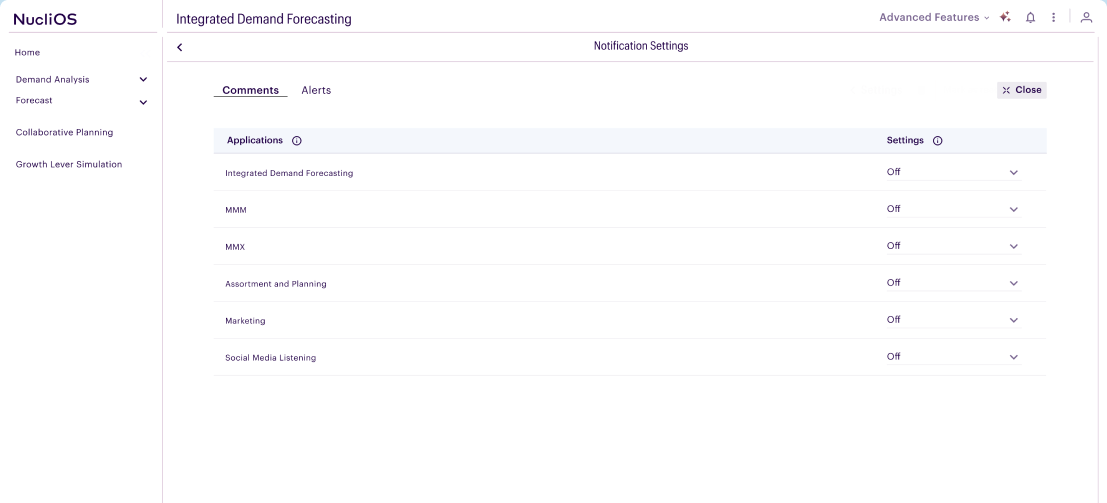
The notification settings page inside NucliOS

Overview

Notifications serve as a critical communication layer within the decision-making process, ensuring that stakeholders remain informed, aligned, and responsive throughout the lifecycle of a decision. As decisions move across executives, managers, and analysts, timely updates on approvals, feedback, status changes, pending actions, and implementation milestones help prevent communication gaps and workflow bottlenecks. By delivering relevant, contextual, and actionable updates, notifications enable users to stay engaged without actively monitoring the platform, resulting in faster collaboration, improved visibility, and more efficient decision execution.

Role

Lead Product Designer | NucliOS

User Research, Interaction, Visual Design, UX Design, Prototyping, Testing

October 2024 - November 2024

Receiver’s View

Final version

The notification tray open over the demand forecasting dashboard

Platform Trigger

  • User are directly notified on their platform account along with a notification sent on their email.
  • On the platform user can have a quick view of the notifications in context to the collaborator conversations.
  • Users can quickly sort the notification types for them to take the required actions
  • View all will allow user to navigate to the dedicated page for all the notifications
The notification settings page with per-application controls

Notification Settings Page

  • The notification page is a dedicated page for all the notifications
  • User can enable/ disable the notifications as per their need
  • User has option to select from four options, Notify for all comments, Notify for @mentions, Disable all notifications and Custom settings at page level
The comments drawer with the bell icon that subscribes to a thread

Subscribe notification

  • User can also subscribe to notification of any specific thread by clicking on the bell icon at thread level

User Management

Manages users, roles, and permissions to ensure secure collaboration and decision authority

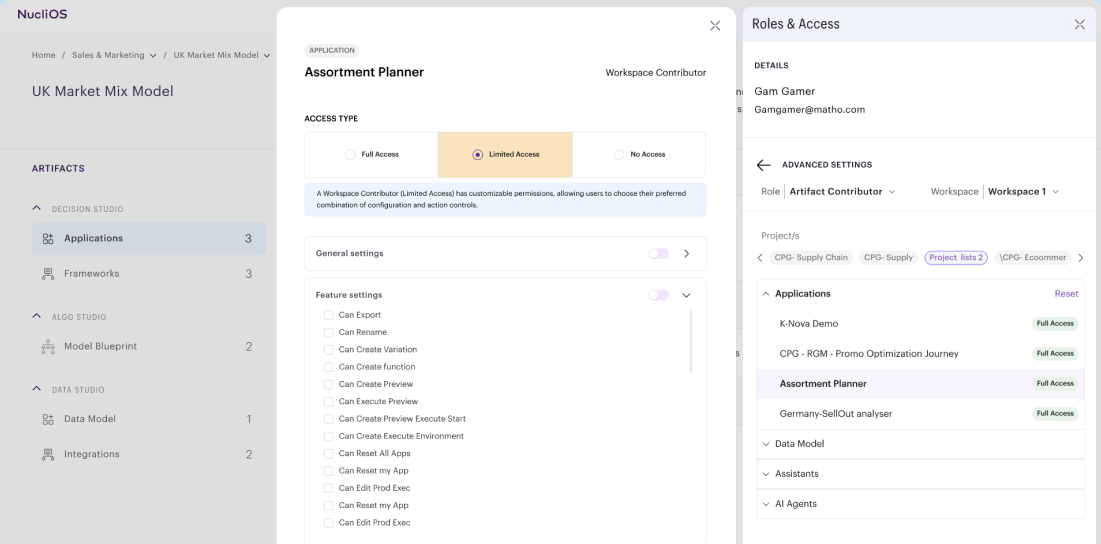
The roles and access drawer open over an assortment planner in NucliOS

Overview

User management established the foundation for secure and structured collaboration throughout the decision-making journey. By defining user roles, permissions and access levels, it ensures that Executives, managers and analysts can access relevant information, contribute within their responsibilities and participate in decision appropriately. This role-based governance protects sensitive data, streamlines cross functional collaboration, and maintains accountability by ensuring every stakeholder has the right level of visibility, editing rights and decision authority at every stage of the workflow.

Role

Lead Product Designer | NucliOS

User Research, Interaction, Visual Design, UX Design, Prototyping, Testing

October 2025 - January 2026

Scenario

Workspace 1 admin adds a Artifact contributor to this space. This new user has access to all the projects and artifacts inside this workspace. Though this user do not have access to Artifact C in project 1 and Artifact B in Project 2. Also he has limited access to artifact E in Project 2 ( cannot copy or move artifact E in Project 2)

Design a workflow that will allow workspace admin to make these granular level configurations

Need flexibity to configure same accesibility to all the apps. Have limited access control on some artifacts.

Permission tree from Org 1 down through workspaces, projects and artifacts
The roles and access list showing everyone with access to a file

User Roles & Access

  • When user clicks on Roles and Access on the projects page, they can view list of people who have access to the file, with their roles mentioned beside each name
A single user's detail layer, listing every project and artifact they can reach

User Details

  • Once clicked on any of the user name another layer of information appears contexual to the user
  • All the list of projects and artifacts are displayed here, with access type to each artifact as well
  • User also has option to narrow down the search based on roles and workspace
  • Back icon besides advanced settings would allow user to go back to the user list
The second drawer, where an artifact's current access type can be edited

User Details

  • Once clicked on any of the artifact from the list, another drawer will slide open
  • In the second pannel visible, user can edit and view the current access type
Changing an access type, which opens the granular settings for that artifact

Access Type

  • Change in access type would allow user to customise the settings at granular level

Studios

Centralized workspace to organize, access, and manage decision artifacts seamlessly

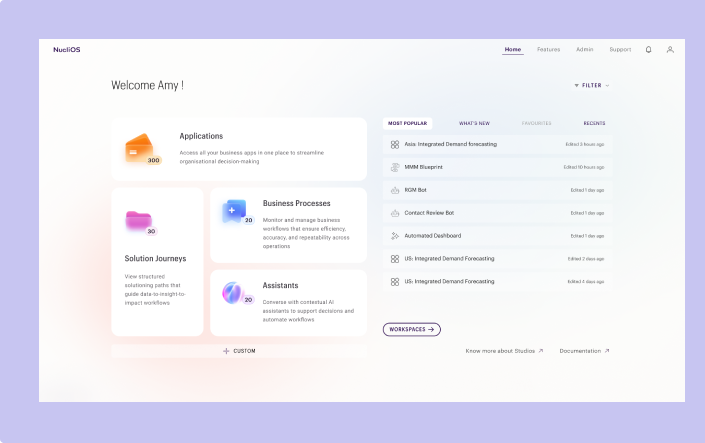
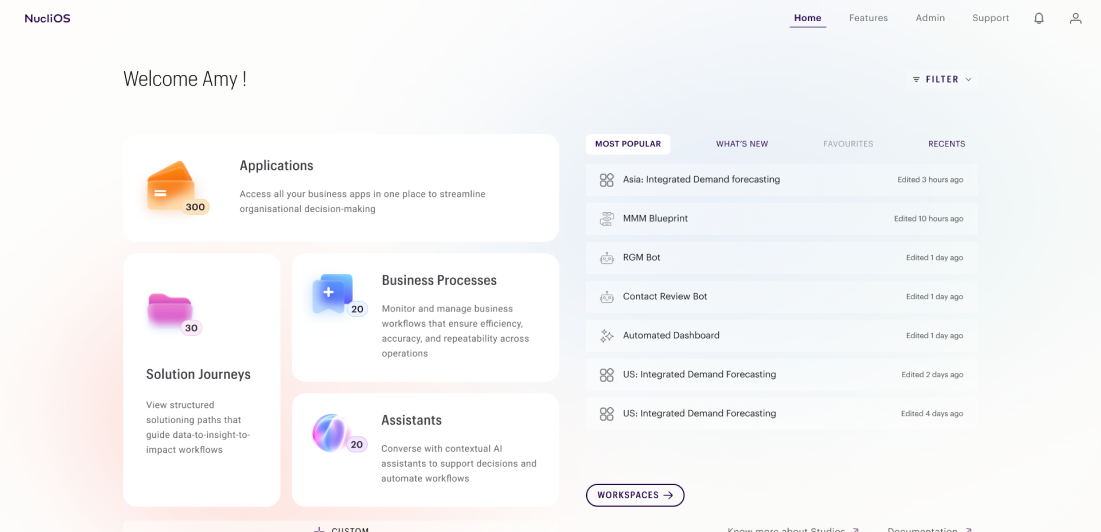
The Studios home page, with application tiles beside a recent-activity rail

Overview

STUDIOS is the unified entrypoint for the decision flow ecosystem, designed to organize and manage the growing collection of artifacts created throughout the decision-making lifecycle. It provides a structured workspace where executives, managers and analysts can seamlessly access projects, dashboards, models, workflows and other assets from a single interface. With role-based access control, intuitive navigation, and centralised organization, Studios eliminates information fragmentation, improves discoverability and enables secure, efficient collaboration, ensuring every stakeholder has the right to information and tools to make informed decisions.

Role

Lead Product Designer | NucliOS

User Research, Interaction, Visual Design, UX Design, Prototyping, Testing

March 2025 - July 2026

The personalised Studios home page with its application tiles

Home Page

  • The personalised view of the Studios home page, allows user to access artifacts from single entry point
  • By clicking the Custom cta user can reorganise the tiles on the screen as per their preferences
  • Section on the right of the screens allow users to have visiblily about the recent activities and updates
  • All the features have individual landing page with list of artifacts
  • Filter will allow user to narrow their search based on industry, function or artifact type
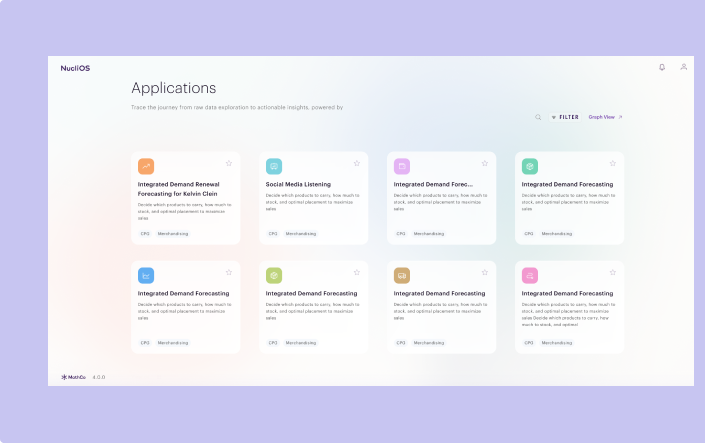
The applications landing page, listing every artifact as a card

Executive view (Artifact list) consumption layer

  • All the features have individual landing page with list of artifacts
The manage workspace table, and the share dialog opened from a row

Manage Workspace

  • On clicking workspaces at Studios home page, user will be taken to the Manage workspace page
  • The page consist of list of all the artifacts and collaborators who has access to
  • The page consist of list of all the artifacts and collaborators who has access to
  • User can share, edit, clone, move, promote, bookmark, export or delete an artifact based on their role access
The admin console, with the user-role table and the platform utils tiles

Admin

  • Admin page is for the Super admin who has access to all the user role access control and workspace settings. As well access to configure platform level customisation under platform utils

Building with AI

Building products with AI to solve meaningful human problems intelligently.

An isometric grid of glowing nodes linked by circuit traces — the orchestrated AI toolchain the project is built on

Overview

This project explores the real-world problem statement by designing and developing an end-to-end digital product using a modern AI-assisted development workflow. The objective is to demonstrate how multiple technologies and AI tools can be orchestrated to rapidly build production-ready solutions while keeping human in loop throughout the process. Human expertise drives problem framing, user experience, architectural decisions, validation and quality assurance, while AI accelerates in ideation, design, development, testing and iteration. By integrating diverse technologies across the product lifecycle, this project showcases a collaborative approach where human judgement and AI capabilities work together to deliver faster, high-quality, and scalable product solutions.

Role

Product Builder

June 2026 - July 2026

Hypothesis

If pet owners can discover verified boarding providers, compare services transparently, and complete bookings on a trusted platform, they will spend less time searching, have greater confidence in their decisions, and be more likely to book online instead of relying on informal recommendations.

Problem Statement

As pet ownership continues to rise among families and young couples, finding reliable pet boarding remains fragmented and trust-dependent. Most owners rely on Google searches or word-of-mouth recommendations, making it difficult to compare providers, verify quality, and book confidently through a single, trustworthy, and standardized platform.

Key result areas

  1. Increase successful online boarding bookings.
  2. Improve user trust through reviews.
  3. Increase repeat bookings and customer retention.

Objective

To establish a repeatable, human-centered AI development framework that combines intelligent automation with human creativity and decision-making to build scalable, production-ready digital solutions efficiently.

Workflow

Workflow from the Studios home page through the booking popup, admin approval and the emails each step sends

Pawhaven

Pet boarding
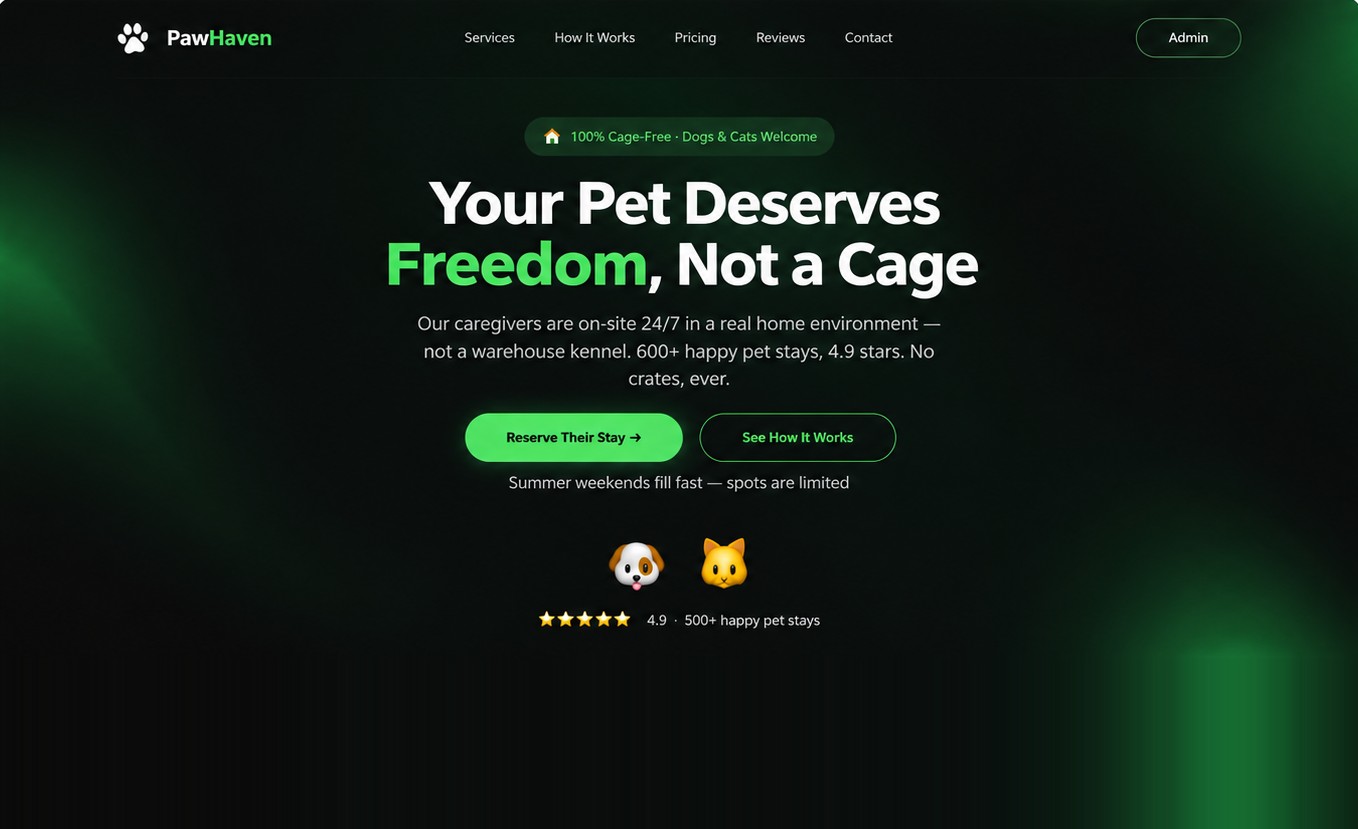
The Pawhaven landing page — a dark hero reading Your Pet Deserves Freedom, Not a Cage

Overview

This version includes the following tech stack :

Claude Code, Supabase, EmailJS, Netlify, PowerShell and VS Code

Role

Product Builder

June 2026 - July 2026

Link to app

Stage 1

Framework for Claude CLI in Powershell

This framework helped transform Claude CLI from a conversational AI into a customizable AI operating system for development. Instead of repeatedly instructing the AI what to do, you encode processes, standards, and tools once, then reuse them consistently.

Component
Purpose
What it does
When to use
How is it used in this project
Hooks
Automate events
Execute scrips automatically before or after claude performs action
Validation, formatting, logging, security, checks, notoification
Maintaining organised file structure. Reviewinga and updating the files with latest standards
Commands
Create reusable prompts
Define custom slash command that encapsulate complex prompts or workflows
Frequently repeated tasks or company-specific workflows
/new-website
Skills
Teach Claude specialized expertise
Package domain knowledge, workflows, templates and best practices into reusable capabilities( heuristics)
Product design, Ux audits
Used two website copywriting url links to create custom skill (website creator skill)
MCP
Connect Claude to external tools
Allow claude to securely communicate with databases, APIs, local files, Github, Figma, browser, cloud, etc.
When Claude needs live data or needs to perform actions outside the chat
Lorem ipsum
Subagents
Delegate work to specealist AI agents
Breaka Complex task into smaller tasks handled by specialized agents with different responsibilities
Large projects, parallel work, multi-step development
Reviewer, Accessebility

Hook

1. Prompt:

“ Build me a HOOK for this project as a website agency workspace where each folder represents a different landing page project. Configure automated checks to validate every HTML, CSS, JavaScript, React, and Tailwind file whenever it is created or modified. The hooks should automatically check formatting, code quality, and adherence to modern best practices, fixing issues where possible and flagging errors before changes are committed. Since I am non-technical, clearly explain what each hook does, why it is needed, and provide a simple overview of how the entire setup works and benefits my workflow.”

2. Run /hooks command

Run this command to check if all the required hooks have been configured

Skills

1. Prompt:

“ Build a skill called website creator adhering to the heuristics of the refference sources added”

Command

1. Prompt:

“ Create a custom command called new-website. When executed, it should prompt me for a website brief and optionally accept brand assets (color palette, typography, logos, or reference websites). Using the Website Creator skill, generate a complete website in a new project folder within this workspace. Each execution should create a separate, self-contained folder with its own files and assets. If any information required to build a high-quality website is missing, ask clarifying questions before generation.”

Sub-agents

1. Prompt:

“ Build two subagents that run in parallel. The first, A11y Checker, should audit my website for accessibility using the latest WCAG standards and modern best practices, identifying issues and recommending or applying fixes where possible. The second, Website Auditor, should evaluate my website against a checklist derived from a reference link that I provide, ensuring compliance with the defined quality, UX, design, and development standards. Both agents should generate clear, actionable reports independently. Ask me any clarifying questions before setting up the agents if any requirements are unclear.”

Stage 2

Run command

/new-website ( Write website brief and add the brand design guide)

Wait for Claude to generate the file

Stage 3

Integrate services

The generated JS secrets file receiving the Supabase and EmailJS keys

Stage 4

Hosting

Hosting on Netlify was done manually by drag and drop of the folder in Netlify account

NetlifyLink to app

Paws & Friends

Pet boarding
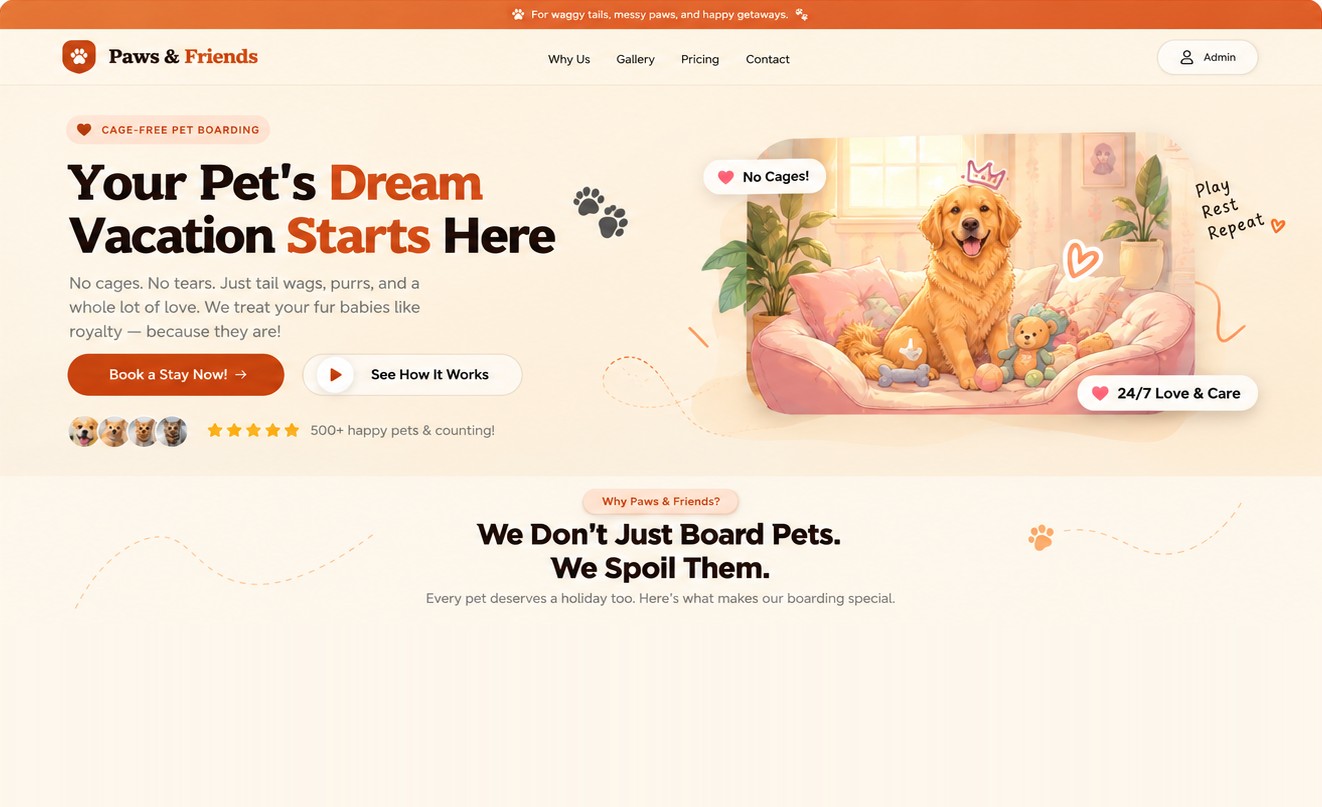
The Paws & Friends landing page — Your Pet's Dream Vacation Starts Here

Overview

This version includes the following tech stack :

Bolt and Brevo

Role

Product Builder

June 2026 - July 2026

Link to app

Stage 1

Provide prompt

“Built a pet boarding responsive website, which highlights no caging, love and care for the pets. use funny cute images of dogs and cats. Add interaction to book a slot. Give me dropdown of top 10 breeds to pick from. Also price will differ based on the size of the pet which is small, medium and large. The form should appear as a popup , when clicked on CTA. Also add a password protected admin section, when clicked a table will appear with list of requests and actions to approve and disapprove the request.”

Output is generated with booking data to be saved in the local Bolt DB

Stage 2

Add services

The DB secrets feeding Bolt's Supabase integration and the Brevo API key

Sender’s email address was updated in Brevo. Since there is no domail email id exist , hence for this project Brevo email service was used ,insted of Resend

Bolt automatically called Supabase edge functions to send out the emails to owner in Case of any new bookings and in case of acknowledgement , appaorval and rejection another email was triggered to the customer

Stage 3

Hosting

  • Click on ‘Publich’ on the Bolt account
  • Edit the default domain name or add own exixtimg domain name
  • Click Publish
Link to app

Pawsy Inn

Pet boarding
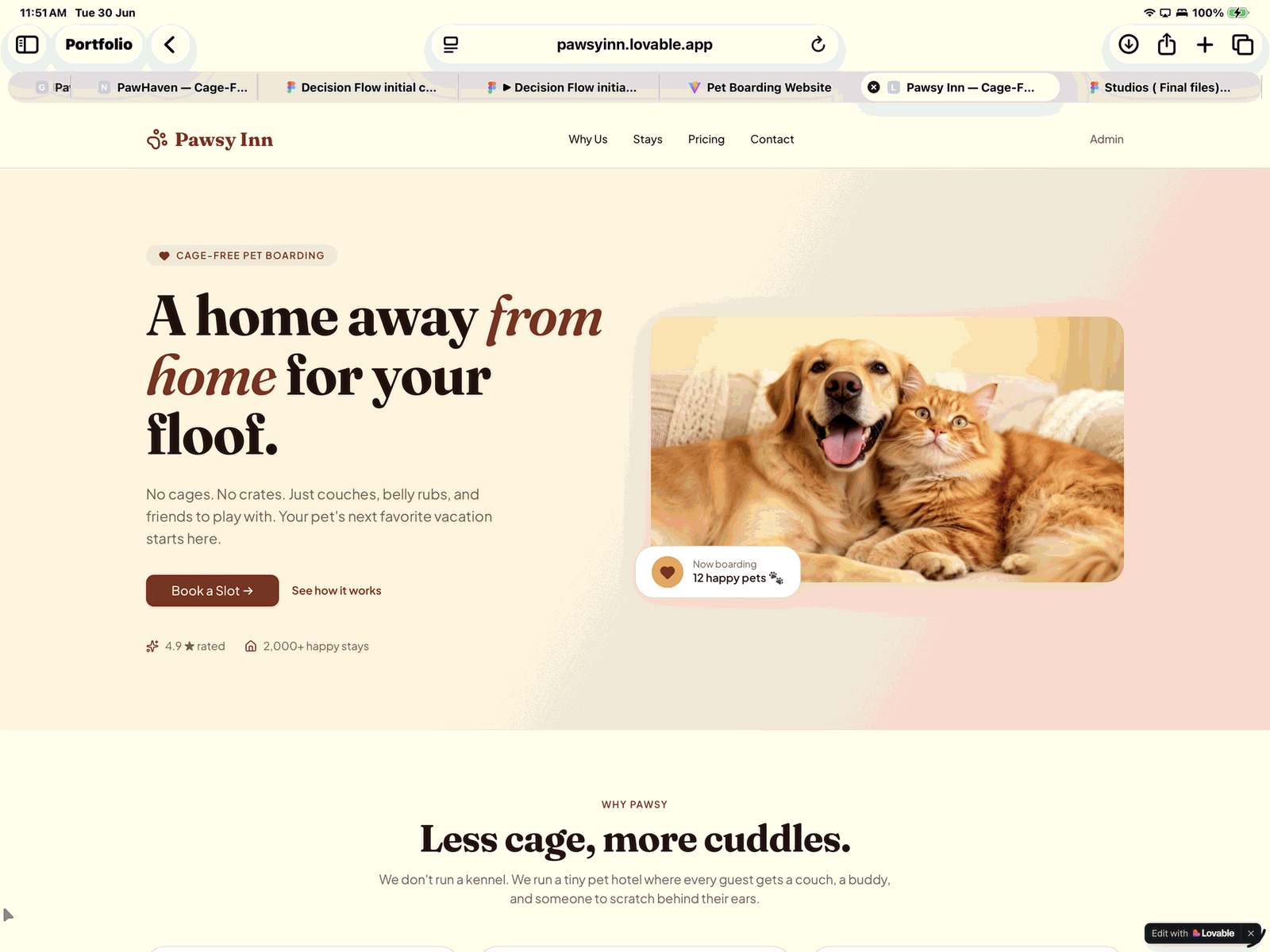
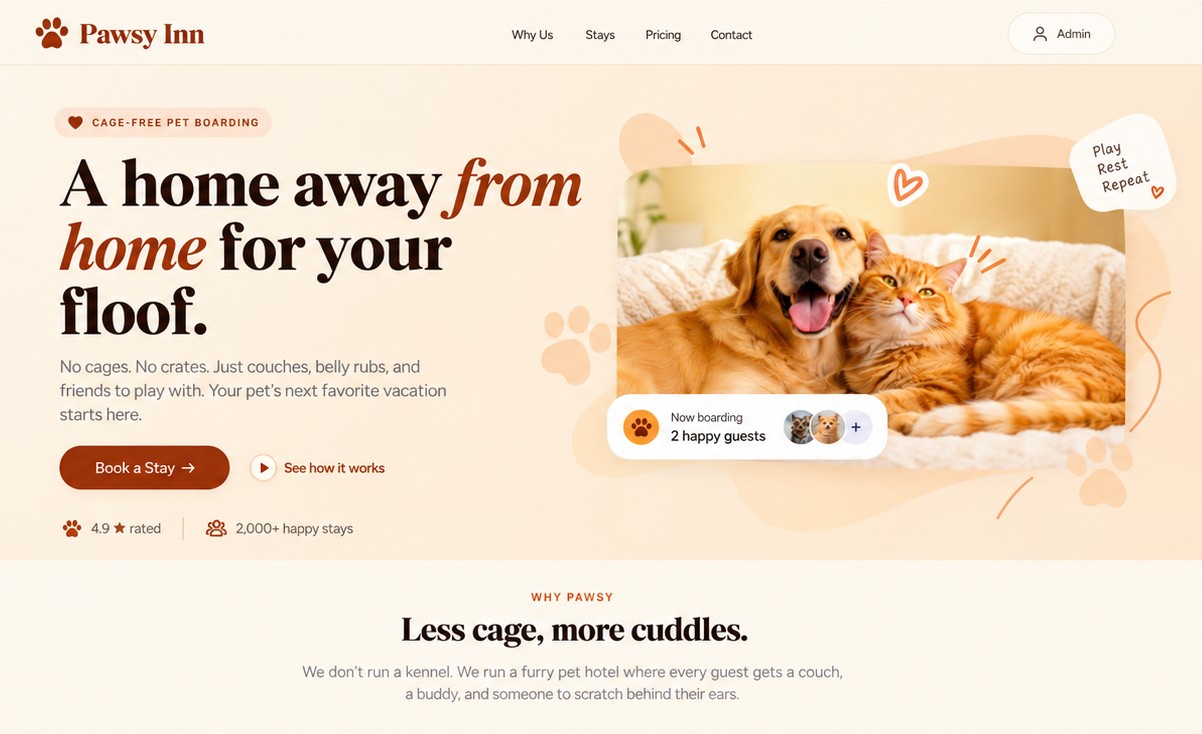
The Pawsy Inn landing page — A home away from home for your floof.

Overview

This version includes the following tech stack :

Lovable, n8n, Gmail and Google Sheets

Role

Product Builder

June 2026- July 2026

Link to app

Stage 1

Built front end with prompt

  • Prompt 1
    “Build a pet boarding responsive website, which highlights no caging, love and care for the pets. use funny cutre images of dogs and cats. add interaction to book a slot by filling details of owner and pets and dtaes of noking the slot. give me drop down for top 10 breeds to pick from on the form. also price will differ based on the size of teh pet which is small, medium, large. the form should appaer as popup when clicked on cta. refer image attacched for styling and inspiration. generat new funny images and add to landing page.”
  • Prompt 2
    “Add an admin page link on top right of the landing page password protected, keep the password- pawaandfriends2024. a table with the list of request and and column with approve and reject button will be visible . use entire page for the admin section and give link on top right of admin page that says back to home”

Stage 2

Build backend workflow

  • Prompt 1
    “Add three action trigger to sent out emails ( new booking, accepted, rejected) and add this post url link ( paste n8n webhook url key)”
  • Workflow 1
    Sends email to the client and the owner ( Save json command in gmail node, generated by lovable)
    Saves data in google sheet( used as db)
  • Workflow 2
    Status will be updated on the google sheet based on the actions ( new booking, approval, rejection, revoked)
n8n workflow diagram showing webhook triggers, gmail notifications and google sheet integration

Stage 3

Hosting

By using Publish option on Lovable the app was hosted public

Link to app

Paw Nest

Pet boarding
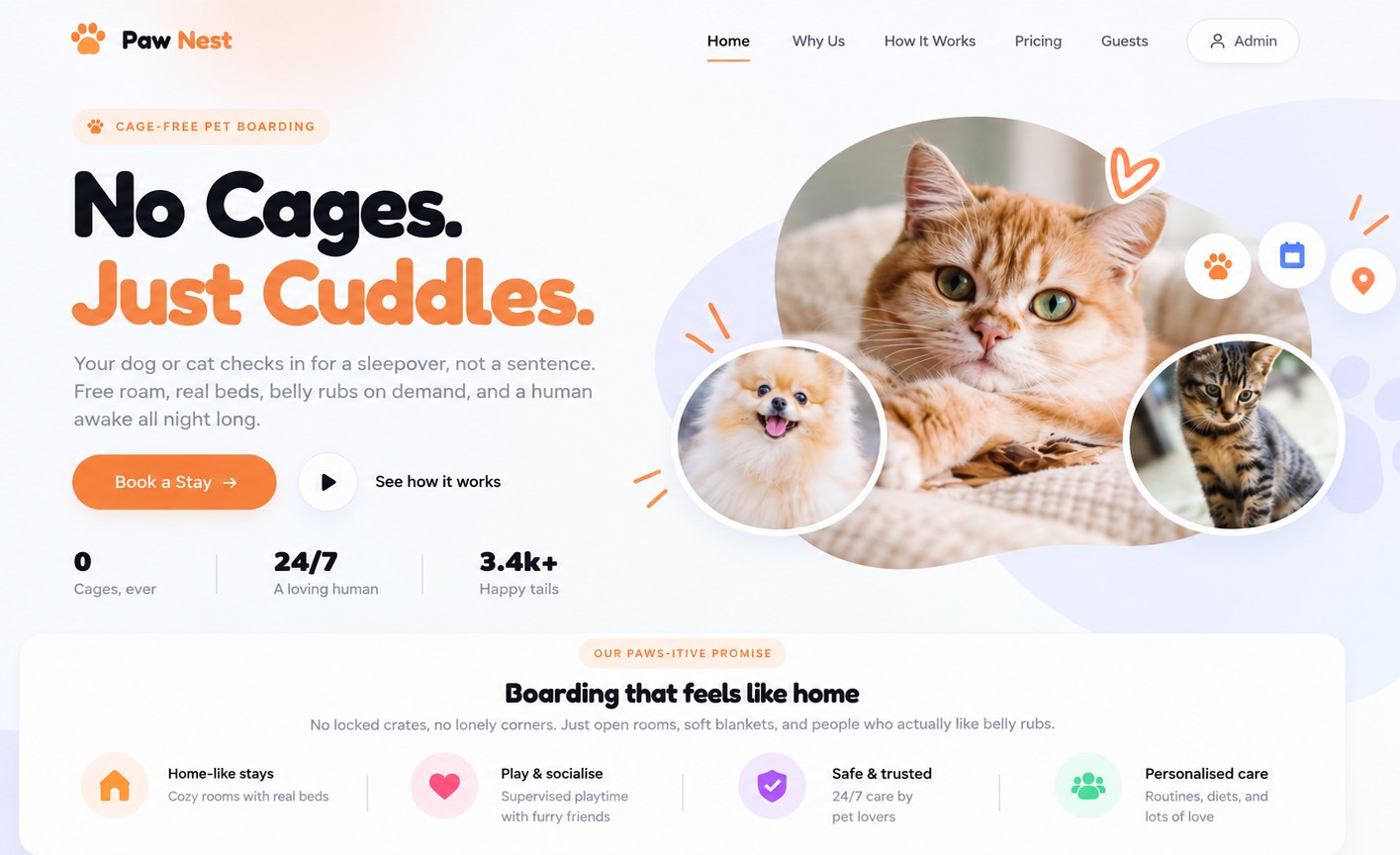
The Paw Nest landing page — No Cages. Just Cuddles.

Overview

This version includes the following tech stack :

Claude, Supabase, Edge Functions, GitHub, Gmail and VS Code

Role

Product Builder

June 2026- July 2026

Link to app

Stage 1

Built front end with prompt

  • Prompt 1
    “Build a pet boarding responsive website, which highlights no caging, love and care for the pets. use funny cutre images of dogs and cats. add interaction to book a slot by filling details of owner and pets and dtaes of noking the slot. give me drop down for top 10 breeds to pick from on the form. also price will differ based on the size of teh pet which is small, medium, large. the form should appaer as popup when clicked on cta. refer image attacched for styling and inspiration. generat new funny images and add to landing page.”
  • Prompt 2
    “Add an admin page link on top right of the landing page password protected, keep the password- pawaandfriends2024. a table with the list of request and and column with approve and reject button will be visible . use entire page for the admin section and give link on top right of admin page that says back to home”

A html file of front end file for backend configuration of email and db was generated and autosaved in Downloads folder of local system

Stage 2

Supabase configuartion

Create new project and run Sql command as given by Claude

App Admin page Secret Vault connecting to Supabase keys

Secret Vault key space was created in admin page to add Supabase key.

Stage 3

Email configuration

  • Prompt 3
    “Need a email trigger using Supabase edge function in three scenarios. At the time of new booking one email will be sent to the owner of the pet boarding service and another email will be sent to customer as acknowledgement. Also in case of approval or rejection another email will be triggered to the customer. Service provider for both the email will be gmail”

TS file was generated in Downloads folder of Local system

Added TS file code in The Supabase edge function ( Type Script file is an email engine- a small program that runs Supabase's servers and sends tgeh branded emails

Added secret keys to the Supabase edge functions

Adding GMAIL_USER, GMAIL_APP_PASSWORD and OWNER_EMAIL secret keys to Supabase edge functions

Stage 4

Hosting

The file was deployed via Github in a new Repo

Supabase keys need to be again entered in the secret valt in Admin page, since before deployment, they keys ere saved in browser

Link to app

Scavvy

A platform for turning any place, occasion, or group gathering into a playable social experience.

Race and Hunt
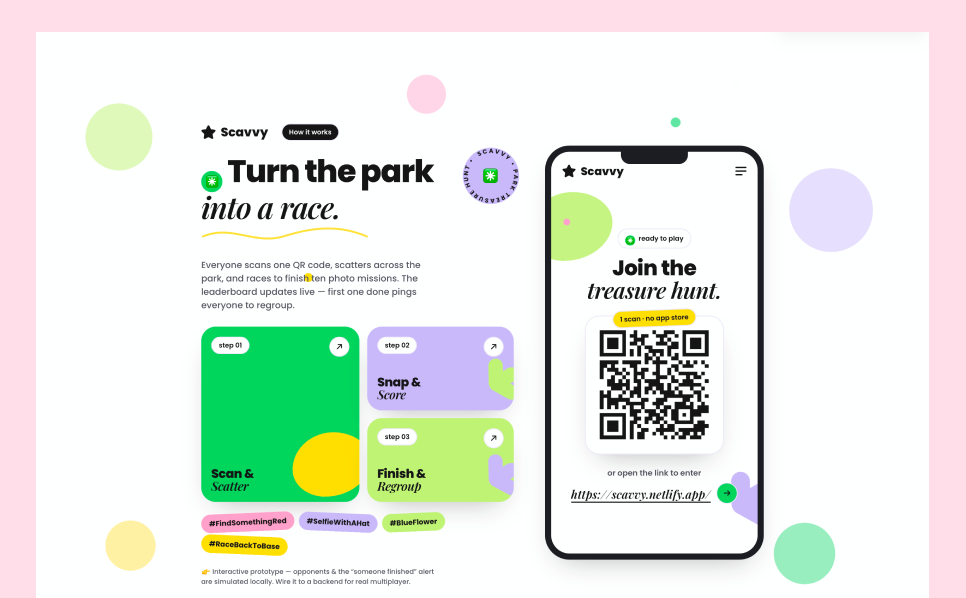
The Scavvy landing page — Turn the park into a race — beside the phone screen that joins the treasure hunt by QR code

Overview

Scavvy is a location-based mobile application that transforms parks and public spaces into interactive scavenger hunt experiences. By combining QR codes, real-world exploration, and gamified challenges, it encourages users to stay active, discover new places, and engage with others. This project covers the end-to-end product design process, from user journey mapping and gameplay mechanics to designing the complete mobile experience. The goal was to create an intuitive, engaging, and scalable experience that seamlessly blends digital interaction with real-world exploration.

KRA

  • A fun and engaging activity that can be played outdoor using their mobile phone ina a group.
  • Anyone above 10 yrs should find it enjoyable and easy to use

Problems identified

  • Game ideas outside in playground and park with friends is limited to kids.
  • Physical games need to carry some equipemts ouside and some cases and need a physical landscpe such as court, set up, etc.
  • Lack of ideas
  • Lot of outdoor activites involve sitting at one place
  • Outdoor games are time taking or skill required
  • Only racing is less motivating to engage in a physical activity.
  • Current board games or video games simulate the outdoor environment removing any contact with nature

Hypothesis

  • We believe that by incorporating a treasure hunt format in a competative run, will motivate more people to participate in a group activity outdoor.
  • We believe mobile phones can become tool to encourage phisical movement in fun way.
  • We believe a fun easy intreface will encourage people to use this app more often.

Role

Product Builder

June 2026- July 2026

Link to app

Stage 1

Built front end with prompt

The process of building this app start with a simple ux flow describing landing page, a easy scan on click on link interface to enter the home page. Home page consist of interface to craete new groups and once the game starts a list of tasks will be given to finish. Whoever finfishes first will win . A responsive web app with fewer elements.

The Scavvy landing page in a phone browserThe join screen with the treasure hunt QR code
1

Click on link or scan QR to enter the site

The player profile screen — name, avatar and team colour
2

As a first time user, cretae user profile

The home screen — create a playground or enter a ground code
3

Once evryone has created their profile, one of the player can create a new playground, or enter the code for previously created ground

The new playground dialog — name and location
4

Name the playground

The created playground with its QR code and four-digit join code
5

Once new playground is craeted, other players can use this QR code to entre the ground or use the code to enter the ground

The lobby, with the leader's Start the Game button
6

Only the creator of the playground, aka ‘Leader’ can start the game, untill then other players will have to wait.

The mission list — ten challenges with points and photo uploads
7

Once the leader starts the game, challeneges page with 10 challenegs are displayed. Player can click live photo to upload real time image

The Game Finished Successfully dialog
8

Once all the tasks are finished, player will click done and success message will popup

The gallery of everyone's shots, with voting unlocked
9

Players will be taken to gallery , where they can viote

Voting on a single challenge, one photo at a time
10

Each player will vote by agreeing if the image captured matches the challenge or not

The Submit All Votes screen
11

Submit the final votes

Waiting for other players, with the option to skip to results
12

Either wait for other player to finish or skip to results

The result screen — rank, score, time and the podium
13

Once all the players have voted, the final result who won will be displayed on the screen

Stage 2

UX scenarios considered

After building the first draft of the app, I ran few user testing by myself and by others. This allowed me to identify bugs and opportity areas to improve overall experience of the app and fixed them

Future scope

The collaboration feature can evolve into a centralized decision-management system that streamlines approvals, discussions, and actions while improving transparency, accountability, and decision-making efficiency across workflows

  • Introduction of mgame mode such as Race, Team Battle.
  • Run LLM to generate challenges based on user preferrences
  • Choose between voting or let Ai verify and validate the Proof of challenge.
  • Time based challenges
  • Occasion packs such as Birthdays, Team outing, Family day out.
  • Contextual challenges based on location - Park, Beach, Mall, Office.
  • Build custom challenges ( created by users)
  • Share memory after the game if over in form of video, collage
  • Public access where anyone can join the current active group
  • Introduce difficulty levels
  • Allow multiple media formats
  • Integrate social platforms